Capture snags and make the PDF on site

指摘管理アプリ

指摘管理アプリのために設計。写真と一緒に指摘を記録し、正確な位置を残し、検査終了前にきれいなPDFを共有しましょう。

回答

指摘管理アプリとは何ですか?

指摘管理アプリは、未完了や不具合のある施工箇所を記録し、担当する職種に割り当て、写真で証拠を残し、共有できる報告書を作成するためのモバイルツールです。Punch List & Site Audit は稼働中の現場で紙のチェックリストや表計算ソフトに取って代わり、各指摘事項の場所・ステータス・写真を最初の検査から引渡しまで一元管理します。現場で写真付きに指摘を記録し、その場でPDF報告書まで作成できるため、パソコン不要であとで入力し直す手間もありません。

詳細を見る: 建設現場の指摘管理の構成について.

01

指摘管理アプリにチームが求めるもの

元請け、施工者、現場監督は、未完了の作業を素早く記録し、担当の職種に割り当てる方法を必要としています。

写真と一緒に指摘を記録し、正確な位置を残し、検査終了前にきれいなPDFを共有しましょう。

02

Punch List & Site Audit のワークフローへの組み込み方

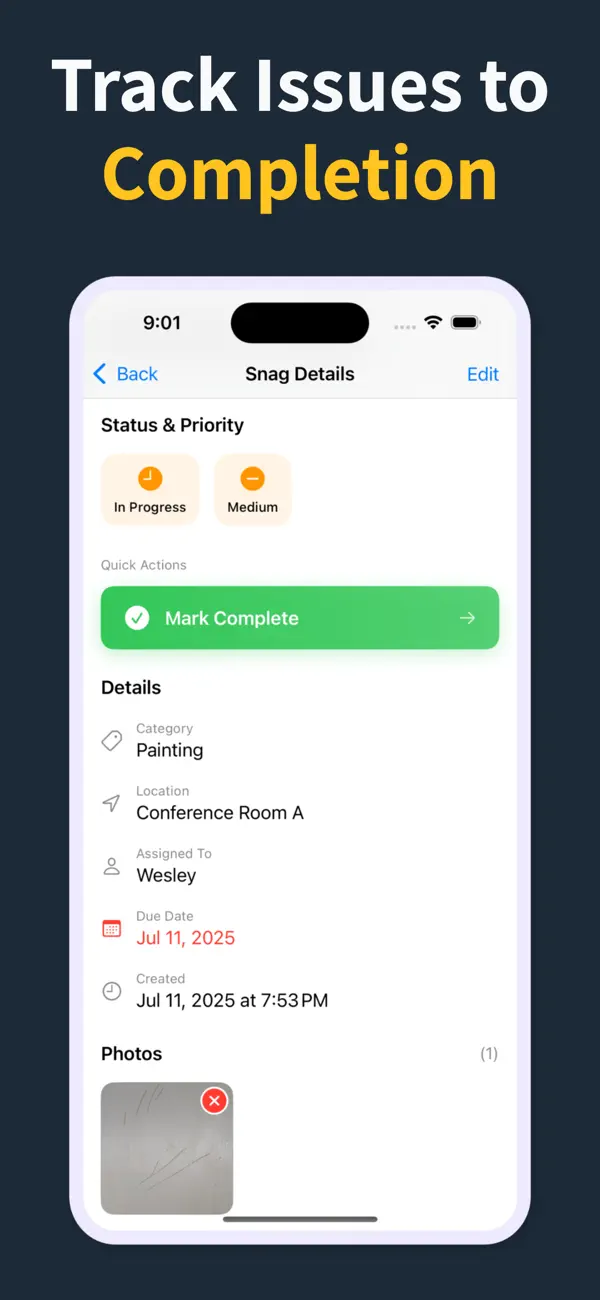
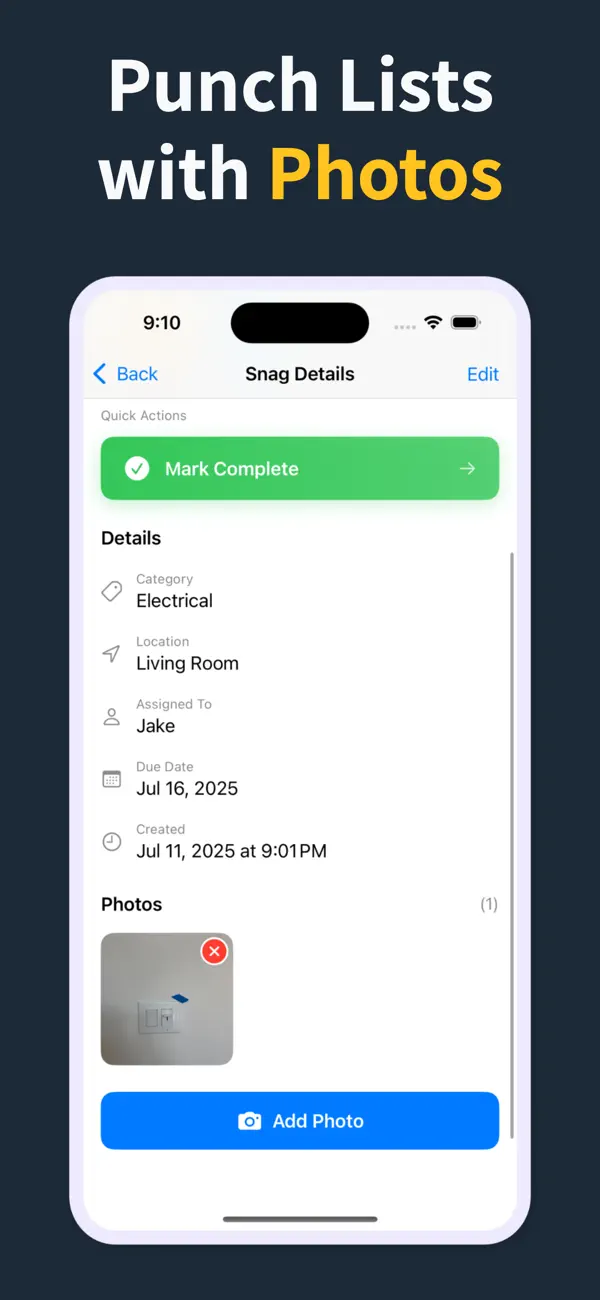
各指摘事項に、場所、職種、ステータス、期日、メモ、写真証跡を1件にまとめて記録できます。

これにより検査が標準化され、訪問終了時のPDFレポート作成が高速になります。

03

現場で使い続けられる理由

紙のメモや静的なスプレッドシートではなく、リスト全体が現場で生きたまま共有しやすい状態になります。

元請け、コンサルタント、施主は最初の現場確認から最終承認まで同じ構造化された記録を確認できます。

How it works

From walkthrough to report in three steps

Punch List & Site Audit keeps capture, assignment, review, and handoff in one iPhone workflow.

1

Create the project

Start a site, client, or renovation project and keep each job separated with progress counts and search.

2

Capture every snag on site

Add title, notes, location, photos, status, priority, category, assignee, and due date as you walk — a few taps per item, then Save & Add Another to keep the walkthrough moving.

3

Generate the PDF before you leave

Turn the list into a client-ready PDF with photos and item details right on site — no laptop, no retyping it later. Pro unlocks clean branded reports, export, and iCloud sync.

Feature proof

Specific proof from the app

Each feature below maps to the actual Punch List & Site Audit workflow: capture, annotate, organize, filter, report, and hand off.

Punch List app issue capture screen
Capture

Add snags without slowing the walk

Record the issue, description, location, and photos in one form, then use Save & Add Another to keep moving.

  • Title, description, and location fields
  • Camera and photo-library capture
  • Rapid repeat entry for walkthroughs
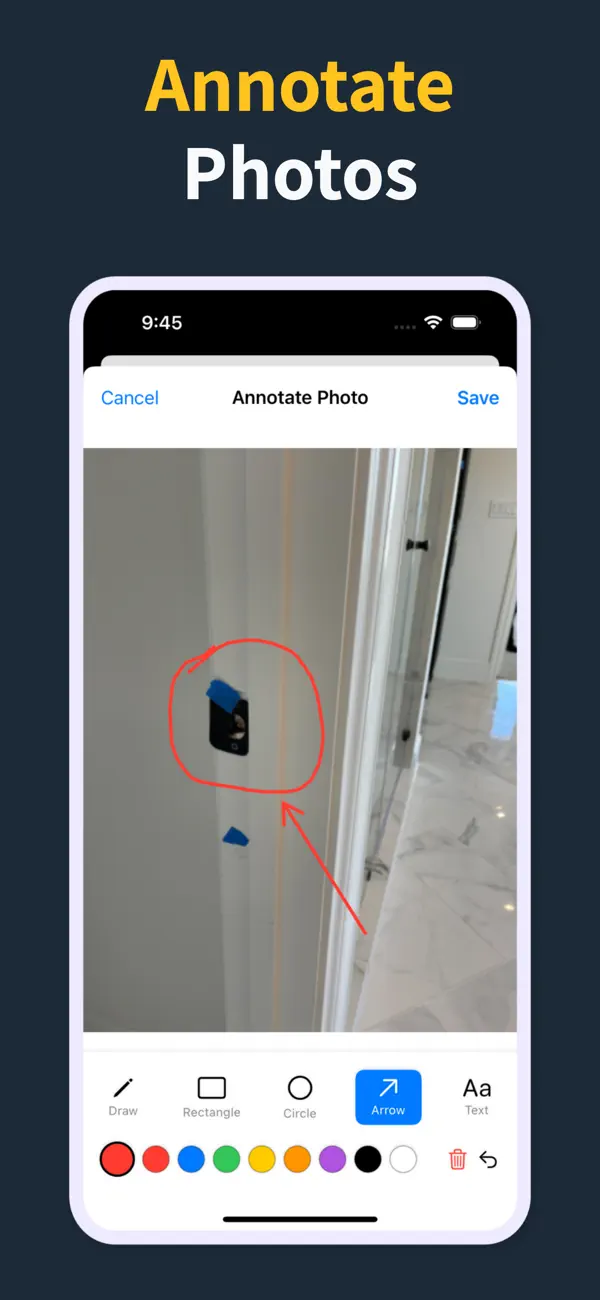
Punch List photo annotation tools
Photos

Mark exactly what needs work

Annotate photos before they go into the report, so subcontractors can see the exact defect and location.

  • Draw, rectangle, circle, arrow, and text tools
  • Undo/redo, selectable annotations, and color controls
  • Annotated images save back to the item
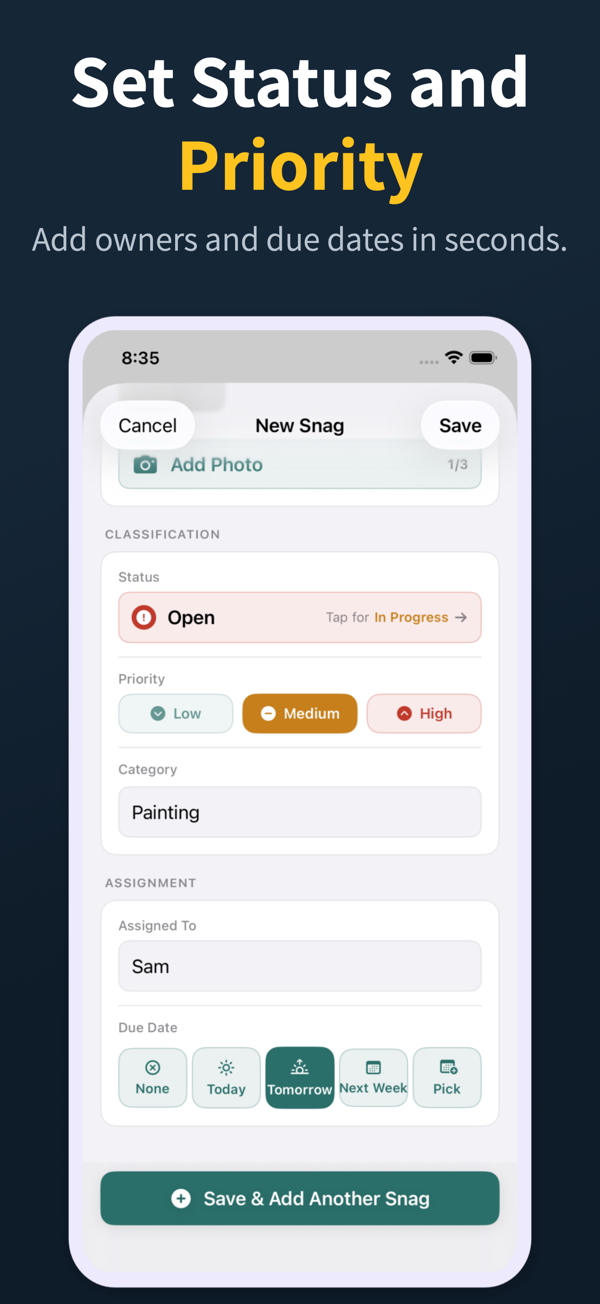
Punch List status, priority, assignment, and due date controls
Accountability

Assign, prioritize, and date the work

Each snag can carry status, priority, category, assignee, and due date so the list is actionable before handoff.

  • Open, in progress, and closed statuses
  • Low, medium, and high priority chips
  • Assignee suggestions and quick due-date choices
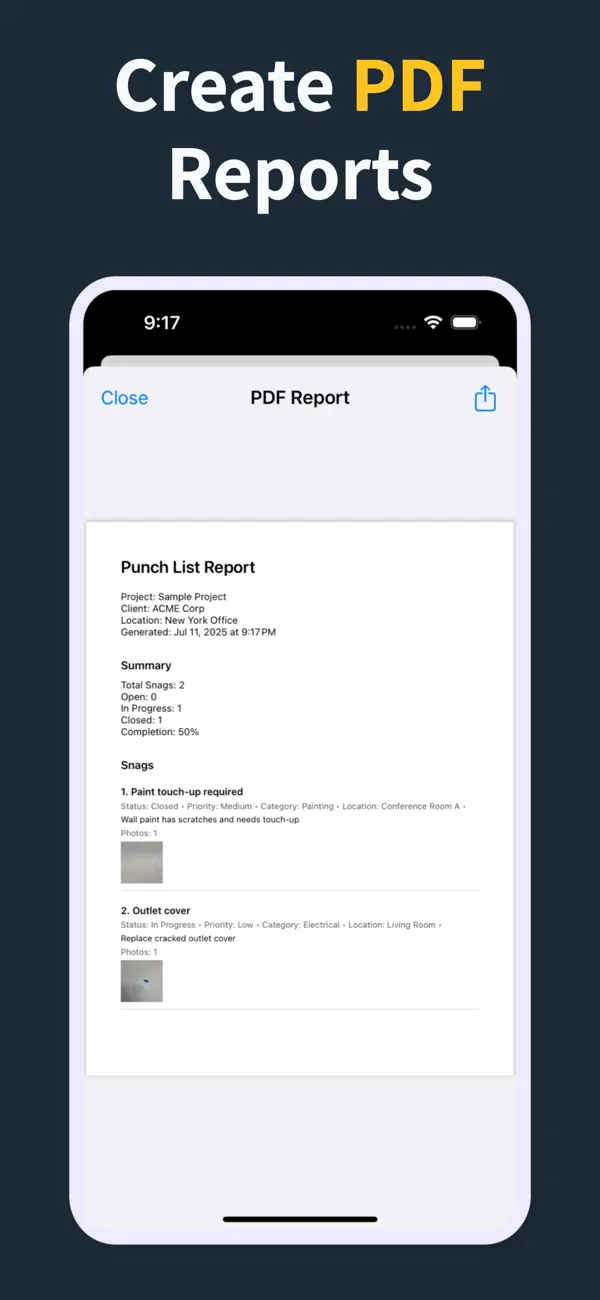
Punch List PDF report preview with photos and item details
Reports

Turn the list into a client-ready PDF on site

Generate a PDF with item numbers, status, priority, due dates, assignments, and inline photos right there in the field — so the report is done before you leave, not back at a laptop that night.

  • Build the report in the field, no laptop required
  • Pro unlocks clean PDFs and company branding
  • Share from the iOS share sheet before you drive off
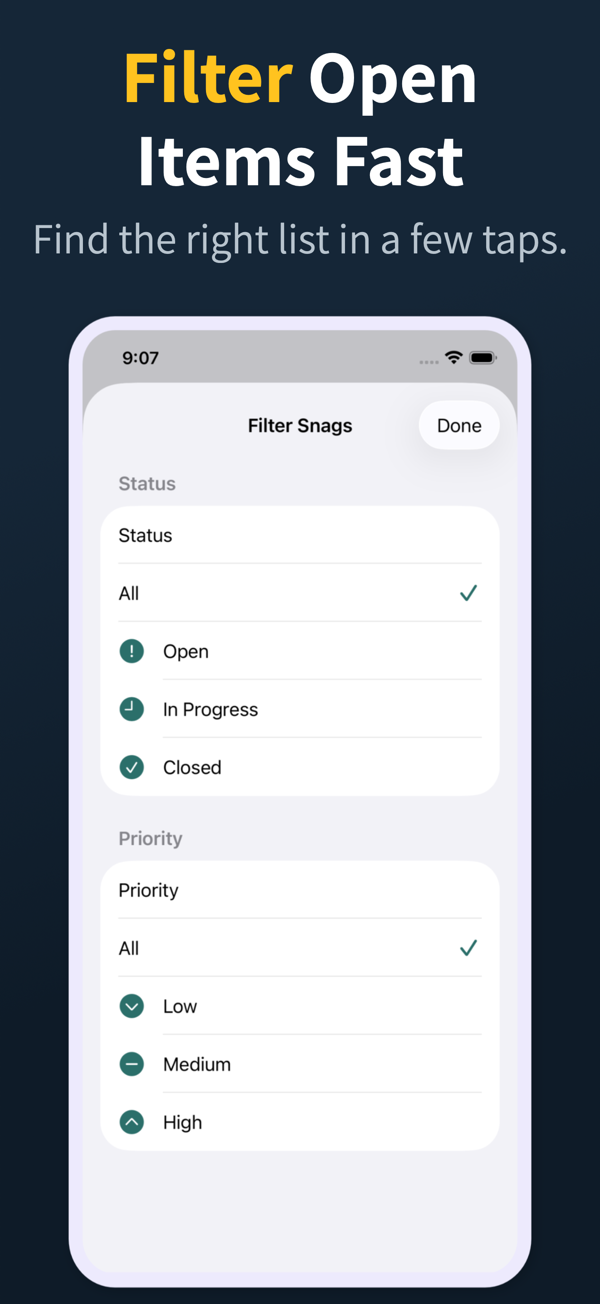
Punch List filter screen for open items and priority
Review

Find the right items fast

Search and filter snags by the fields teams actually use during closeout reviews.

  • Search title, description, location, category, and assignee
  • Filter by status, priority, category, and assignee
  • Grouped open, in-progress, and closed sections
Punch List project dashboard
Projects

Keep every site separated

Manage multiple projects with progress counts, project search, import, export, and iCloud sync for Pro workflows.

  • Project-level progress and open-item counts
  • Search across project name, client, and location
  • Pro unlocks project import/export and iCloud sync
04

よくある質問

指摘管理アプリはどのように使いますか?

検査中に項目を追加してタップし、場所・職種・ステータスを記録し、写真を1枚以上添付して保存します。Punch List & Site Audit は現場での記録を端末内にオフラインで保持し、その後PDF報告書を作成して、協力会社・施主・設計者と共有できます。

Punch List & Site Audit にサブスクリプションは必要ですか?

Punch List & Site Audit は Pro 機能にサブスクリプションを採用しています。写真付きの記録、ステータス、優先度、透かし入りPDFプレビューといった現場検査の機能はそのまま使え、透かしなしのブランドPDF(帳票)、インポート/エクスポート、iCloud同期が Pro の機能です。

指摘管理アプリはオフラインで使えますか?

優れたアプリは使えます。Punch List & Site Audit は項目・写真・メモを完全にオフラインで記録し、インターネットがなくてもPDFを書き出せます。これは地下や躯体、安定したWi-Fiのない遠隔地の現場では欠かせません。

指摘リストのPDFを協力会社に共有できますか?

はい。検査の最後にPDFを作成し、メール・メッセージ・AirDrop など任意のiOS共有シートから共有できます。Pro では透かしなしのブランドPDFが使え、協力会社はアプリを入れなくても共有された報告書から直接作業できます。

指摘管理アプリと表計算ソフトの違いは何ですか?

指摘管理アプリは写真・場所・職種・ステータスを各項目に紐づけ、ワンタップで報告書を作成します。表計算ソフトは写真を扱いにくく、スマートフォンでは操作が煩雑で、報告時に入力し直す必要があるため、引渡しが遅れ、ミスの原因になります。

05

関連ガイド

iPhoneで指摘管理と現場検査を実行

Download Punch List & Site Audit on iOS. Capture snags with photos, mark up what needs fixing, and produce a clean PDF report right there in the field — no laptop, no typing the list back up at the office that night.

App Storeでダウンロード
スキャンしてダウンロード