
施工者に最適な指摘管理アプリは何ですか?
最高の指摘管理アプリとは、現場で素早く使え、オフラインで動作し、各項目に写真を付けられ、協力会社がすぐに動ける報告書を作れるものです。Punch List & Site Audit は施工者の検査に特化して作られており、Pro では透かしなしのブランドPDF(帳票)、インポート/エクスポート、iCloud同期が使えます。
詳細を見る: 指摘管理ソフトとプラットフォームの比較.
最高の指摘管理アプリを比較するなら、まず基本を押さえましょう。最良のツールは現場の事務作業を減らし、作業をスプレッドシートに戻すことを避けます。
最高の指摘管理アプリとは、現場で素早く使え、オフラインで動作し、各項目に写真を付けられ、協力会社がすぐに動ける報告書を作れるものです。Punch List & Site Audit は施工者の検査に特化して作られており、Pro では透かしなしのブランドPDF(帳票)、インポート/エクスポート、iCloud同期が使えます。
詳細を見る: 指摘管理ソフトとプラットフォームの比較.
元請け、施工者、現場監督は、未完了の作業を素早く記録し、担当の職種に割り当てる方法を必要としています。
最良のツールは現場の事務作業を減らし、作業をスプレッドシートに戻すことを避けます。
各指摘事項に、場所、職種、ステータス、期日、メモ、写真証跡を1件にまとめて記録できます。
これにより検査が標準化され、訪問終了時のPDFレポート作成が高速になります。
紙のメモや静的なスプレッドシートではなく、リスト全体が現場で生きたまま共有しやすい状態になります。
元請け、コンサルタント、施主は最初の現場確認から最終承認まで同じ構造化された記録を確認できます。
Punch List & Site Audit keeps capture, assignment, review, and handoff in one iPhone workflow.
Start a site, client, or renovation project and keep each job separated with progress counts and search.
Add title, notes, location, photos, status, priority, category, assignee, and due date as you walk — a few taps per item, then Save & Add Another to keep the walkthrough moving.
Turn the list into a client-ready PDF with photos and item details right on site — no laptop, no retyping it later. Pro unlocks clean branded reports, export, and iCloud sync.
Each feature below maps to the actual Punch List & Site Audit workflow: capture, annotate, organize, filter, report, and hand off.
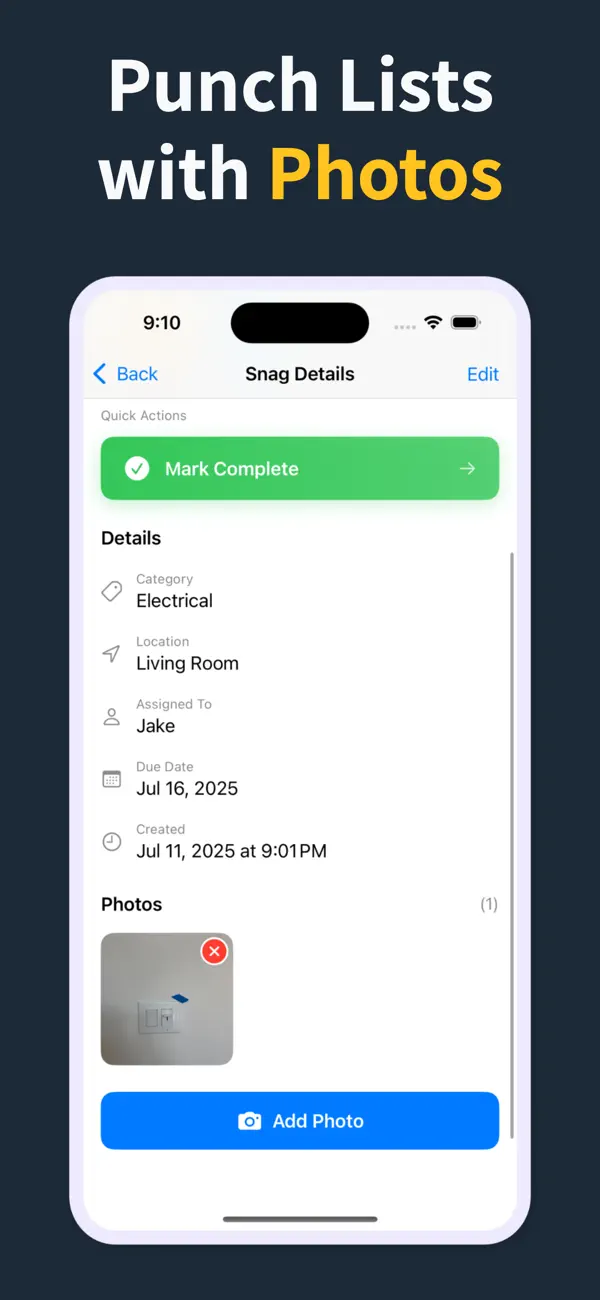
Record the issue, description, location, and photos in one form, then use Save & Add Another to keep moving.
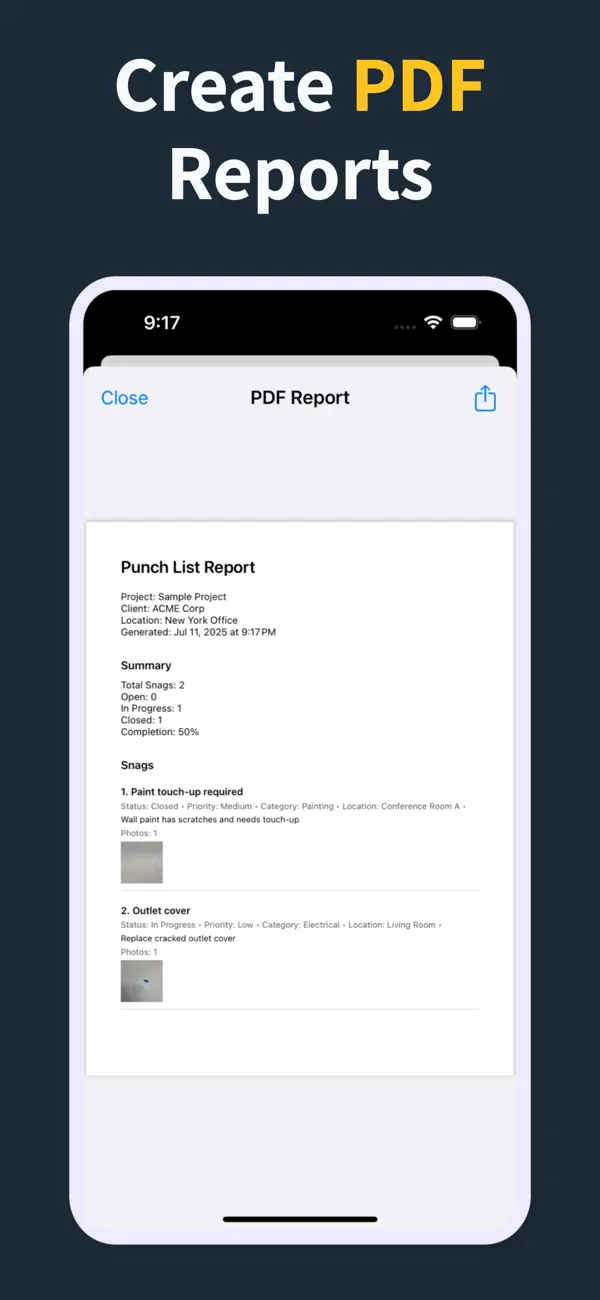
Annotate photos before they go into the report, so subcontractors can see the exact defect and location.
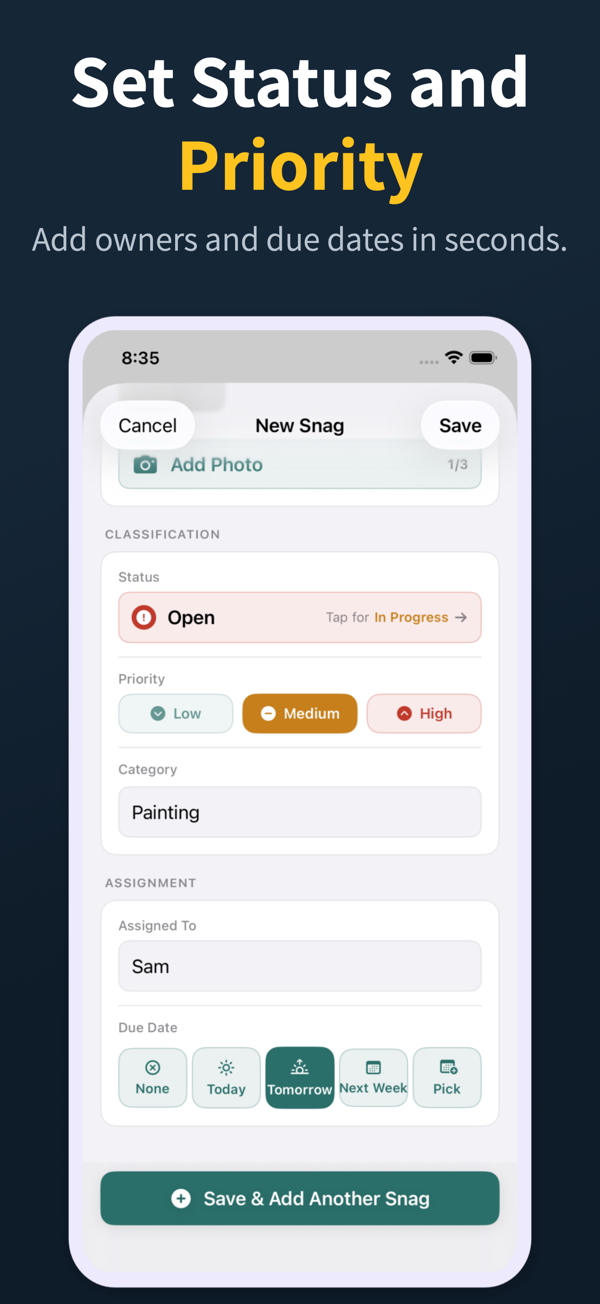
Each snag can carry status, priority, category, assignee, and due date so the list is actionable before handoff.
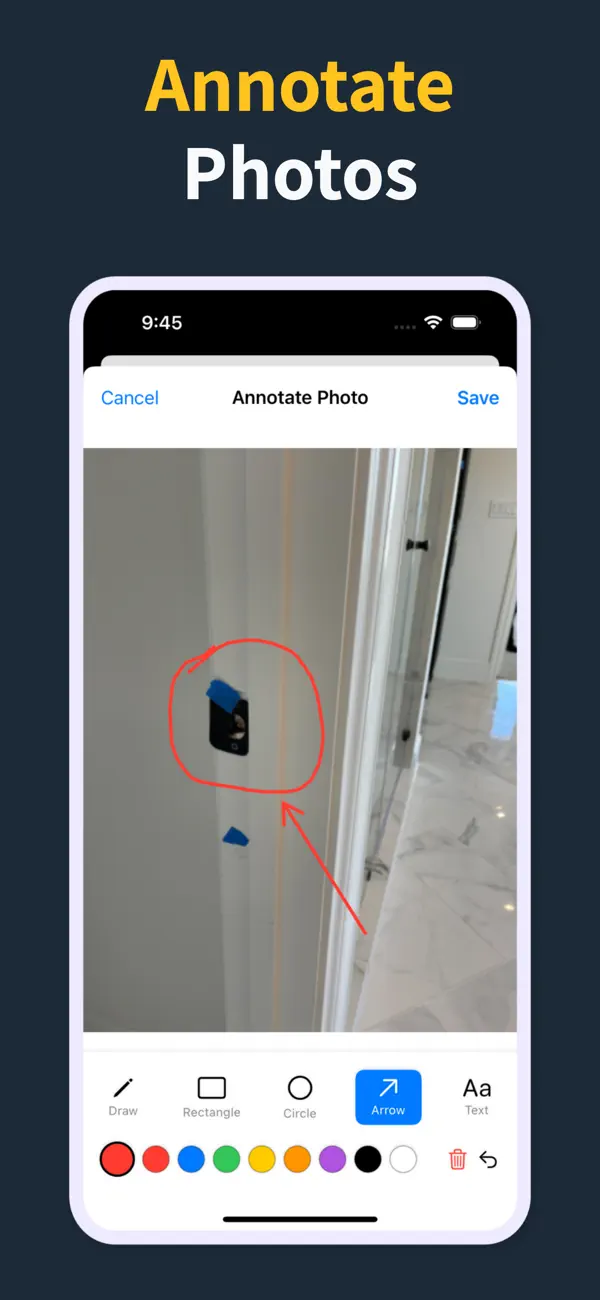
Generate a PDF with item numbers, status, priority, due dates, assignments, and inline photos right there in the field — so the report is done before you leave, not back at a laptop that night.
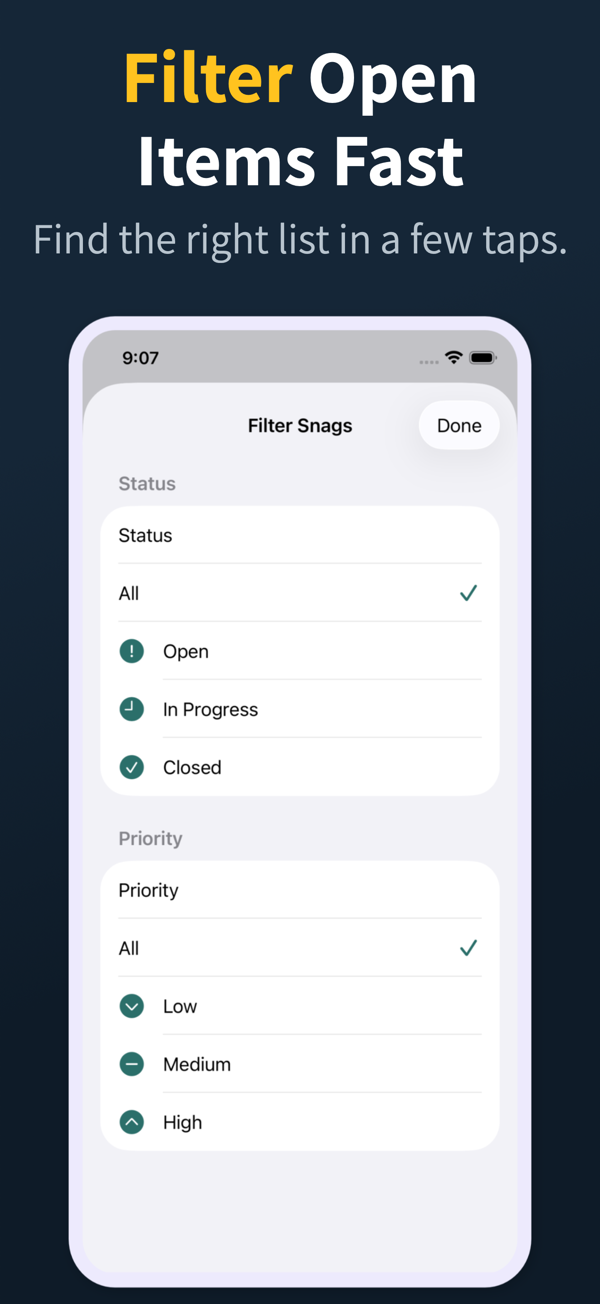
Search and filter snags by the fields teams actually use during closeout reviews.
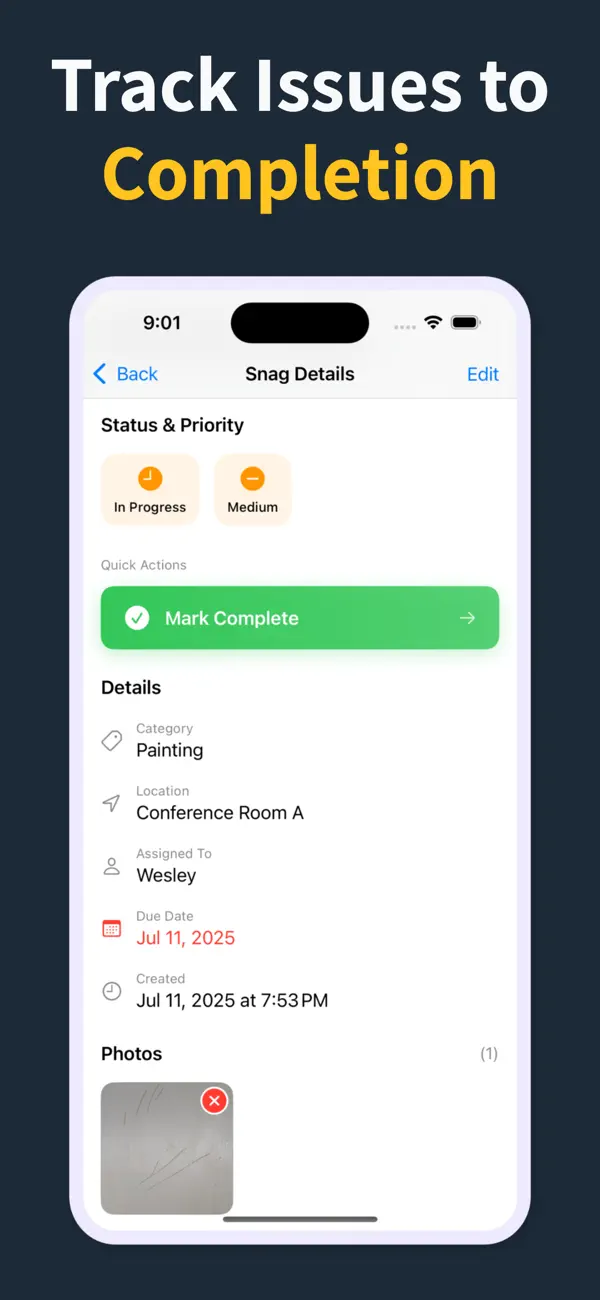
Manage multiple projects with progress counts, project search, import, export, and iCloud sync for Pro workflows.
オフライン記録、項目ごとの写真、場所と職種の入力欄、ステータス追跡、PDF報告です。検査を遅くしたり、協力会社全員に別々のアカウントを強いたりするものは、定着を妨げ、ツールの価値を下げます。
はい。ほとんどの施工者や現場監督にとって、Punch List & Site Audit のような専用アプリが現場の中核ワークフローをカバーします。問題を記録し、写真を添付し、担当を割り当て、未対応の作業を絞り込み、PDF報告書を作成できます。
大規模なプラットフォームは指摘管理よりはるかに多くの機能を持ちますが、その分コスト・教育・ログインの手間も増えます。不具合の記録と引渡しPDFが中核業務なら、専用の指摘管理アプリが勝ります。多くのチームは両方を併用しています。
候補ごとに実際の検査を1回ずつ行ってみましょう。20件の項目を写真付きで5分以内に追加でき、協力会社がすぐに動けるPDFを作れるアプリが勝者です。
Pro では透かしなしのブランドPDF(帳票)、会社ロゴ対応、プロジェクトのインポート/エクスポート、iCloud同期が使えます。中核の現場ワークフローは、写真・ステータス・優先度・担当者・期日の素早い記録に絞っています。
Download Punch List & Site Audit on iOS. Capture snags with photos, mark up what needs fixing, and produce a clean PDF report right there in the field — no laptop, no typing the list back up at the office that night.
App Storeでダウンロード