
시공사를 위한 최고의 하자리스트 앱은 무엇인가요?
최고의 하자리스트 앱은 현장에서 빠르고, 오프라인으로 작동하고, 항목마다 사진을 기록하며, 협력업체가 바로 실행할 수 있는 보고서를 만들어 냅니다. Punch List & Site Audit는 시공사 점검을 위해 특별히 만들어졌으며, Pro 구독에서 워터마크 없는 브랜드 PDF, 가져오기/내보내기, iCloud 동기화가 열립니다.
자세히 보기: 하자리스트 소프트웨어와 플랫폼 비교.
최고의 하자리스트 앱을(를) 비교 중이라면 기본부터 시작하세요: 최고의 도구는 현장 행정 업무를 줄이며 작업을 다시 스프레드시트로 보내지 않습니다.
최고의 하자리스트 앱은 현장에서 빠르고, 오프라인으로 작동하고, 항목마다 사진을 기록하며, 협력업체가 바로 실행할 수 있는 보고서를 만들어 냅니다. Punch List & Site Audit는 시공사 점검을 위해 특별히 만들어졌으며, Pro 구독에서 워터마크 없는 브랜드 PDF, 가져오기/내보내기, iCloud 동기화가 열립니다.
자세히 보기: 하자리스트 소프트웨어와 플랫폼 비교.
원도급, 시공사, 현장 관리자는 미완료 작업을 빠르게 기록하고 해당 공종에 배정할 방법이 필요합니다.
최고의 도구는 현장 행정 업무를 줄이며 작업을 다시 스프레드시트로 보내지 않습니다.
각 하자 항목에 위치, 공종, 상태, 기한, 메모, 사진 증거를 한 건에 함께 기록할 수 있습니다.
이렇게 하면 점검이 일관되며 방문 종료 시점의 PDF 보고가 빨라집니다.
종이 메모나 정적인 스프레드시트가 아니라, 전체 하자리스트가 현장에서 살아 있고 공유하기 쉽습니다.
원도급, 컨설턴트, 발주처가 첫 점검부터 최종 승인까지 동일한 구조화된 기록을 검토할 수 있습니다.
Punch List & Site Audit keeps capture, assignment, review, and handoff in one iPhone workflow.
Start a site, client, or renovation project and keep each job separated with progress counts and search.
Add title, notes, location, photos, status, priority, category, assignee, and due date as you walk — a few taps per item, then Save & Add Another to keep the walkthrough moving.
Turn the list into a client-ready PDF with photos and item details right on site — no laptop, no retyping it later. Pro unlocks clean branded reports, export, and iCloud sync.
Each feature below maps to the actual Punch List & Site Audit workflow: capture, annotate, organize, filter, report, and hand off.
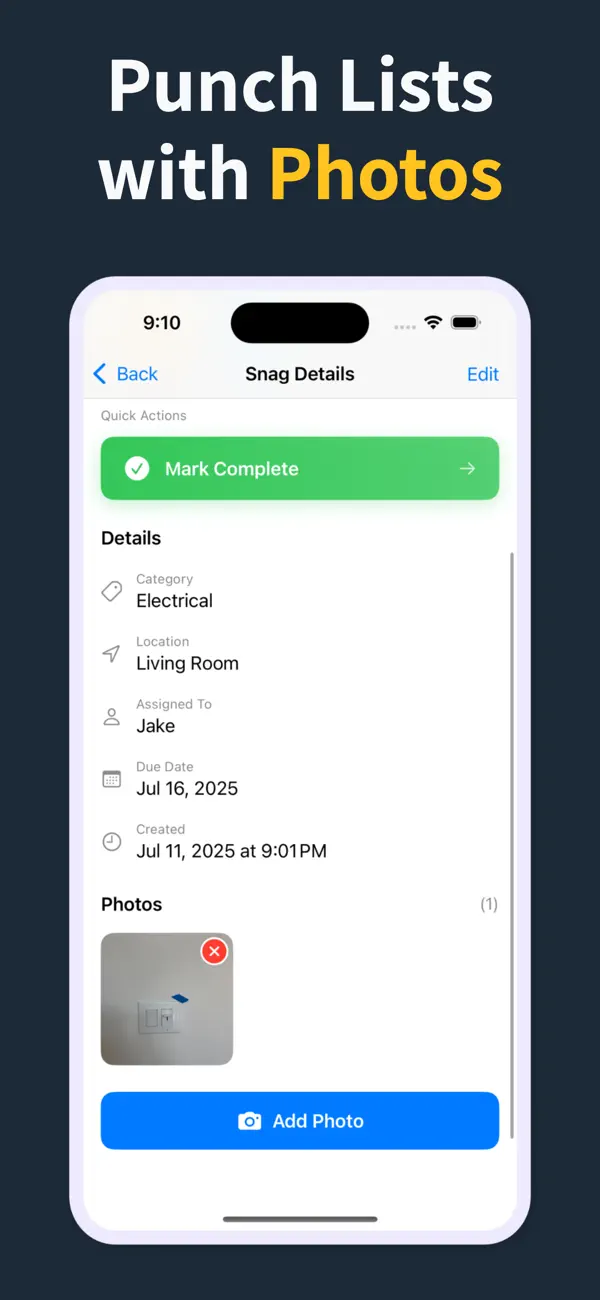
Record the issue, description, location, and photos in one form, then use Save & Add Another to keep moving.
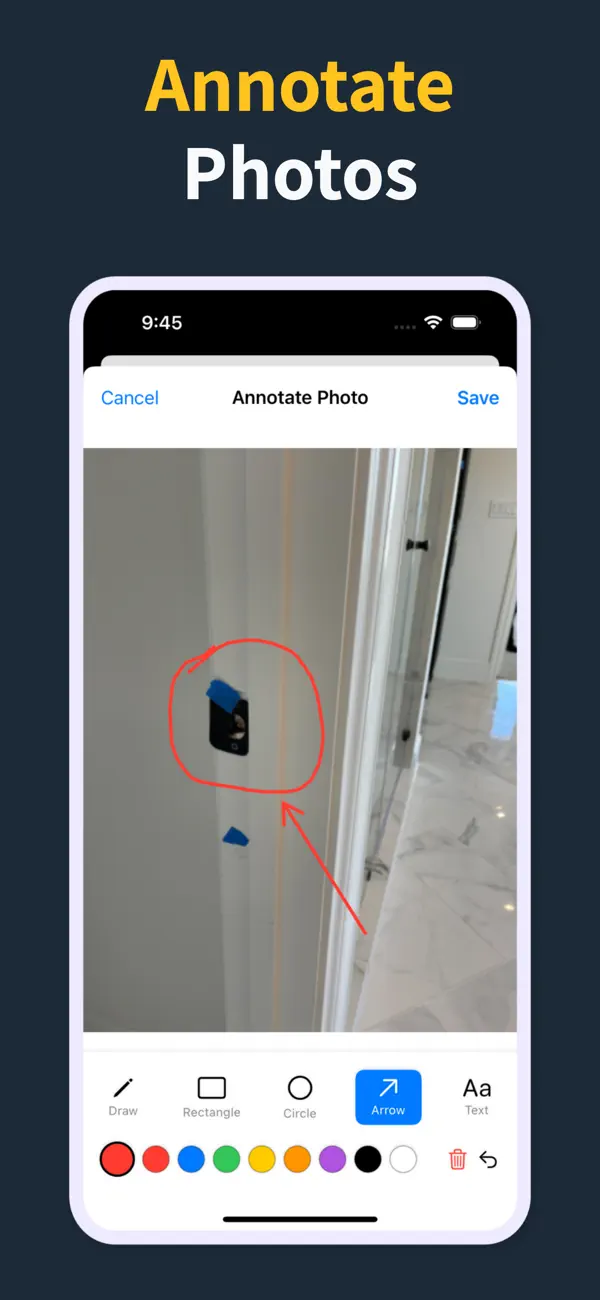
Annotate photos before they go into the report, so subcontractors can see the exact defect and location.
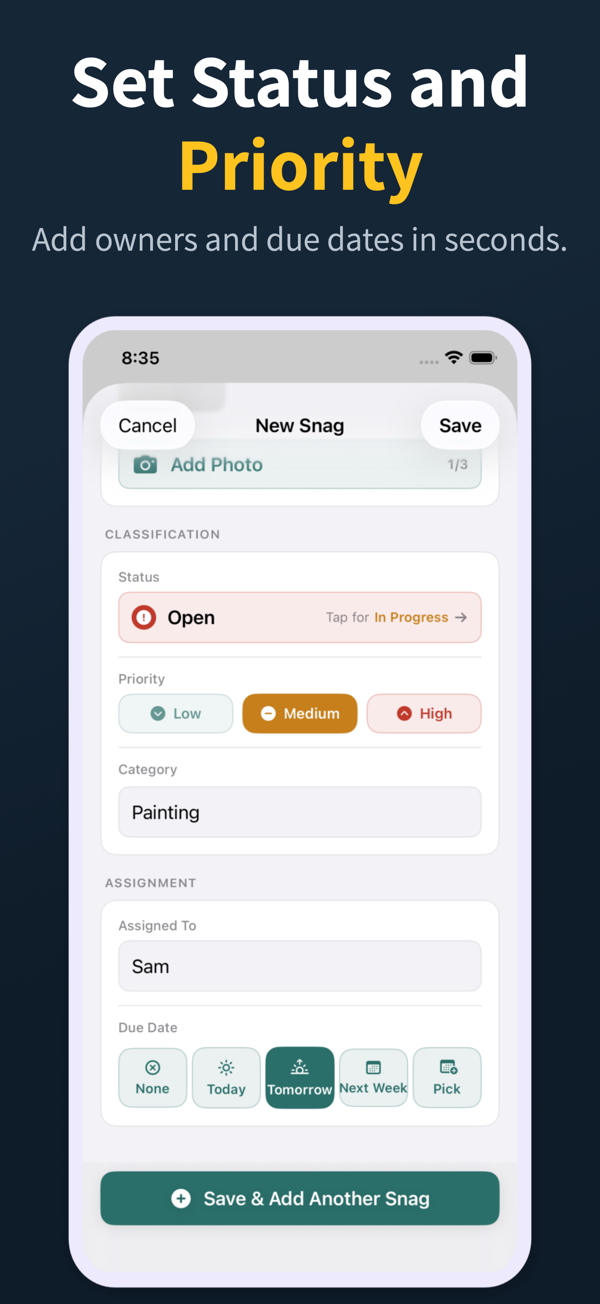
Each snag can carry status, priority, category, assignee, and due date so the list is actionable before handoff.
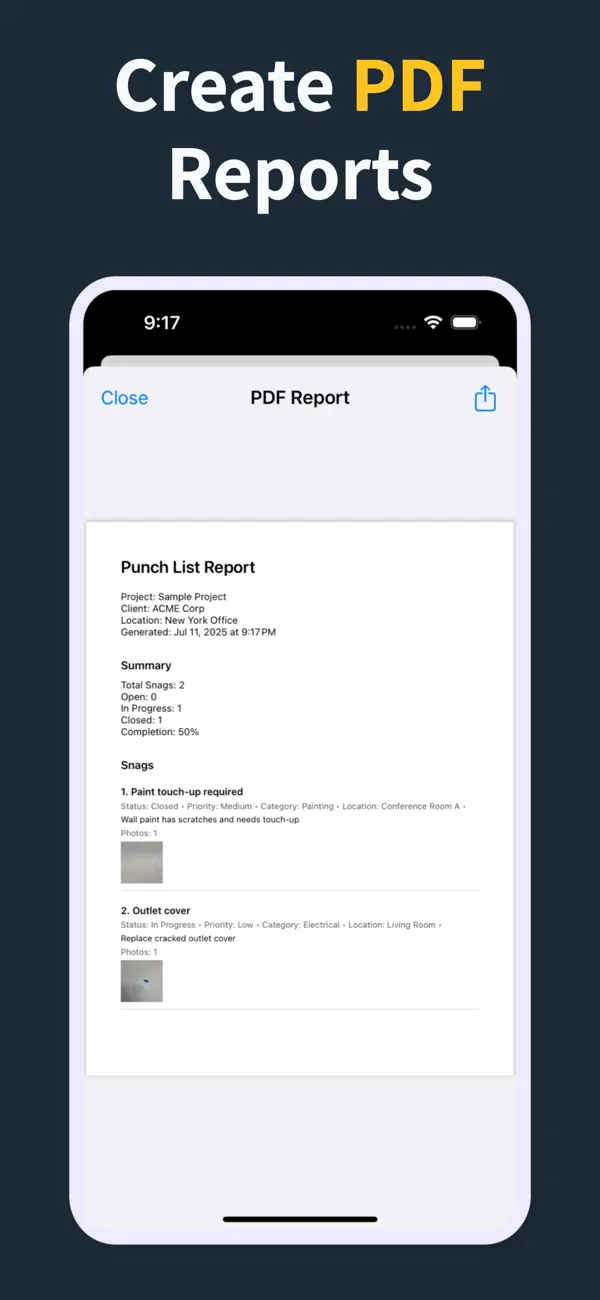
Generate a PDF with item numbers, status, priority, due dates, assignments, and inline photos right there in the field — so the report is done before you leave, not back at a laptop that night.
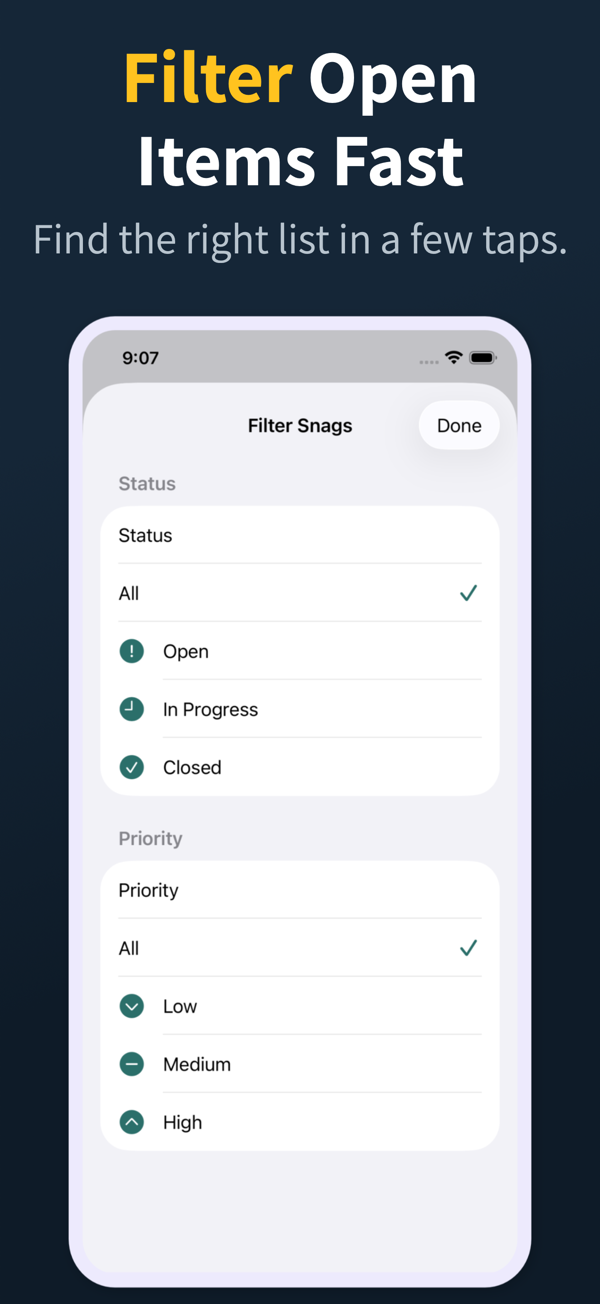
Search and filter snags by the fields teams actually use during closeout reviews.
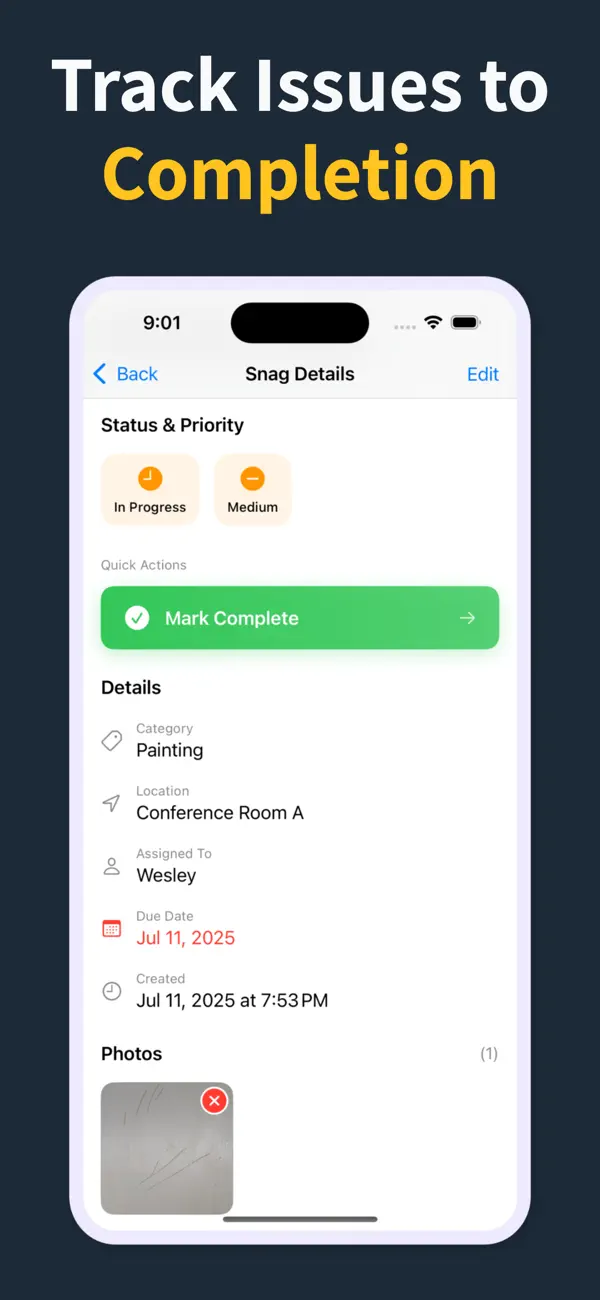
Manage multiple projects with progress counts, project search, import, export, and iCloud sync for Pro workflows.
오프라인 기록, 항목별 사진, 위치·공종 칸, 상태 추적, PDF 보고입니다. 점검을 늦추거나 모든 협력업체에게 별도 계정을 강요하는 요소는 도입을 방해하고 도구의 가치를 떨어뜨립니다.
네. 대부분의 시공사와 현장관리자에게는 Punch List & Site Audit 같은 집중형 앱이 핵심 현장 워크플로를 모두 다룹니다. 문제 기록, 사진 첨부, 책임 지정, 미해결 작업 필터, PDF 보고서 생성까지 포함됩니다.
대형 플랫폼은 하자리스트 외에도 훨씬 많은 일을 하지만, 그만큼 비용·교육·로그인 마찰도 큽니다. 하자 기록과 준공 PDF가 핵심 워크플로일 때는 전용 하자리스트 앱이 유리합니다. 많은 팀이 둘을 함께 씁니다.
후보마다 실제 점검을 한 번씩 해 보세요. 사진과 함께 항목 20개를 5분 안에 추가하고, 협력업체가 즉시 실행할 수 있는 PDF를 만들어 내는 앱이 승자입니다.
Pro 구독에서는 워터마크 없는 브랜드 PDF 보고서, 회사 로고 지원, 프로젝트 가져오기/내보내기, iCloud 동기화가 열립니다. 핵심 현장 워크플로는 빠른 항목 기록, 사진, 상태, 우선순위, 담당자, 기한 추적에 계속 집중합니다.
Download Punch List & Site Audit on iOS. Capture snags with photos, mark up what needs fixing, and produce a clean PDF report right there in the field — no laptop, no typing the list back up at the office that night.
App Store에서 다운로드