Capture snags and make the PDF on site

Site Inspection App

Built for Site Inspection App on active job sites. Observations, locations, severity, and photos stay together in a report-ready field log.

Quick answer

What is a site inspection app?

A site inspection app is a mobile tool for documenting conditions during a construction or building inspection, capturing each observation with photos, a severity, and a location. Punch List & Site Audit replaces paper inspection forms and produces a structured report you can share straight after the walk, generated on the device with no office step.

Learn more: structured construction checklists.

01

What teams need from Site Inspection App

Site teams need structured observations, photo evidence, and same-day inspection reports.

Observations, locations, severity, and photos stay together in a report-ready field log.

02

How Punch List & Site Audit fits the workflow

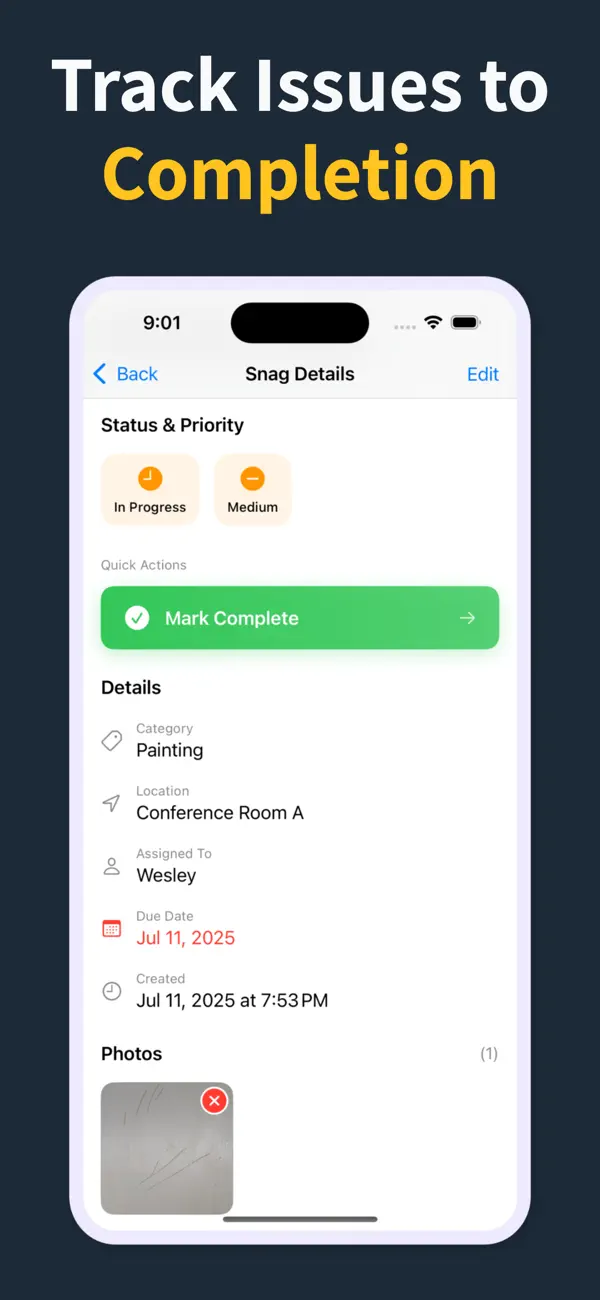
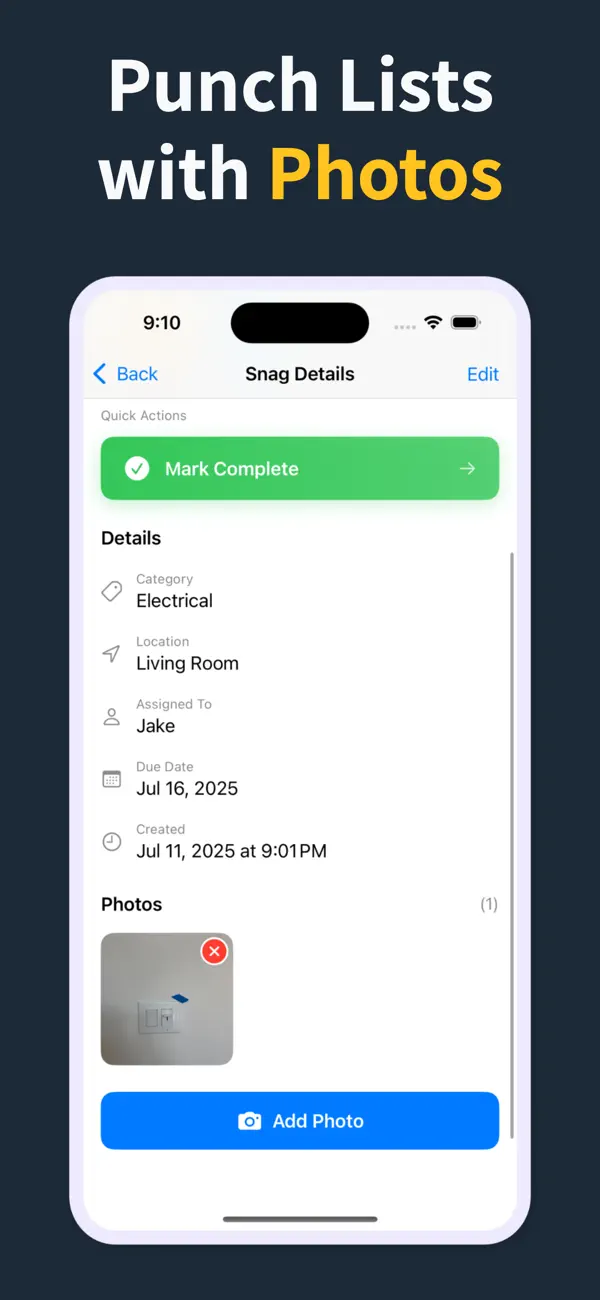
Each snag can carry location, trade, status, due date, notes, and photo evidence in one record.

That keeps snagging surveys consistent and makes PDF reporting fast at handover.

03

Why crews keep it on site

Instead of paper notes or static spreadsheets, the whole snagging list stays live in the field and easy to share.

Contractors, surveyors, and homeowners review the same structured record from first walkthrough to final sign-off.

How it works

From walkthrough to report in three steps

Punch List & Site Audit keeps capture, assignment, review, and handoff in one iPhone workflow.

1

Create the project

Start a site, client, or renovation project and keep each job separated with progress counts and search.

2

Capture every snag on site

Add title, notes, location, photos, status, priority, category, assignee, and due date as you walk — a few taps per item, then Save & Add Another to keep the walkthrough moving.

3

Generate the PDF before you leave

Turn the list into a client-ready PDF with photos and item details right on site — no laptop, no retyping it later. Pro unlocks clean branded reports, export, and iCloud sync.

Feature proof

Specific proof from the app

Each feature below maps to the actual Punch List & Site Audit workflow: capture, annotate, organize, filter, report, and hand off.

Punch List app issue capture screen
Capture

Add snags without slowing the walk

Record the issue, description, location, and photos in one form, then use Save & Add Another to keep moving.

  • Title, description, and location fields
  • Camera and photo-library capture
  • Rapid repeat entry for walkthroughs
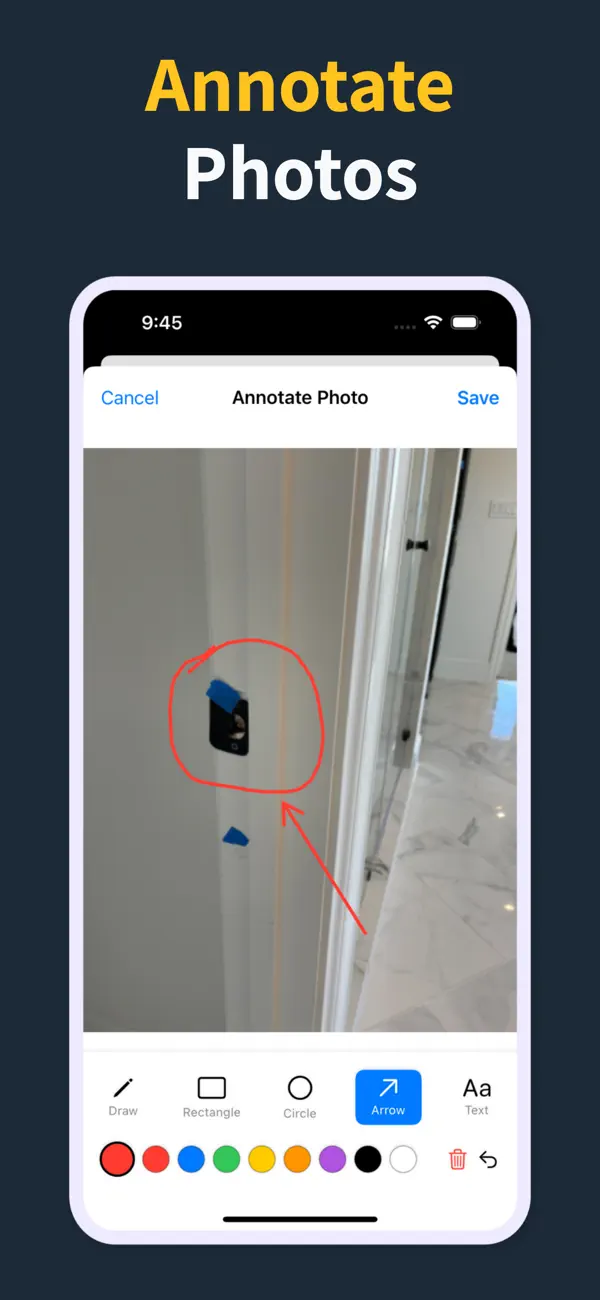
Punch List photo annotation tools
Photos

Mark exactly what needs work

Annotate photos before they go into the report, so subcontractors can see the exact defect and location.

  • Draw, rectangle, circle, arrow, and text tools
  • Undo/redo, selectable annotations, and color controls
  • Annotated images save back to the item
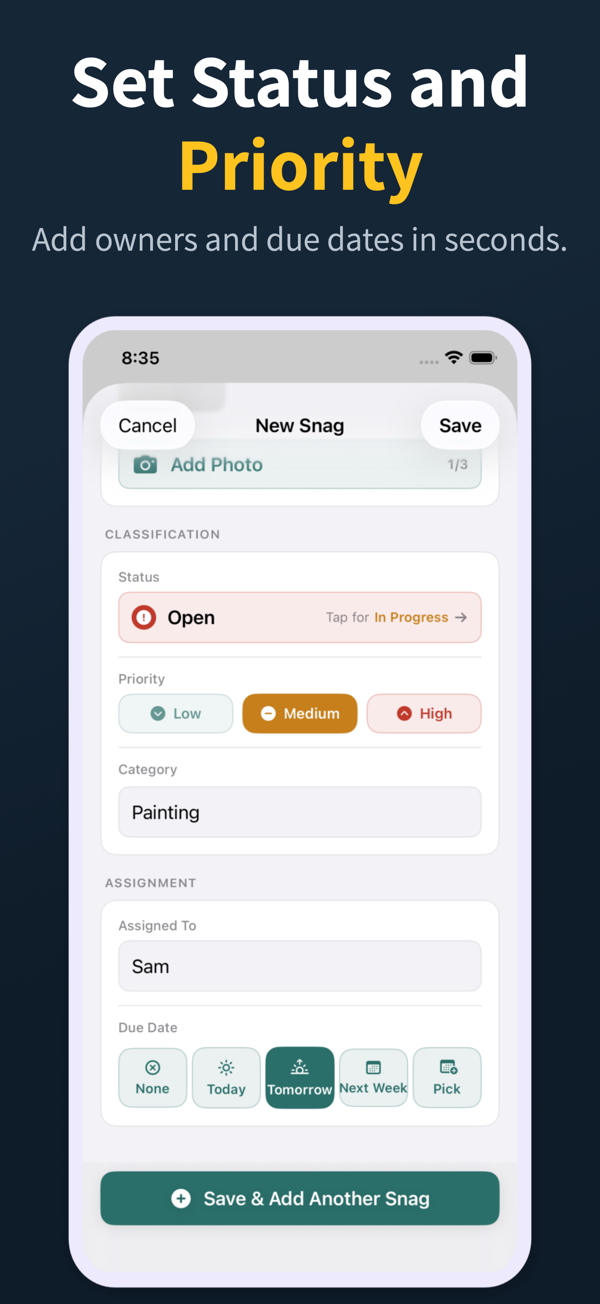
Punch List status, priority, assignment, and due date controls
Accountability

Assign, prioritize, and date the work

Each snag can carry status, priority, category, assignee, and due date so the list is actionable before handoff.

  • Open, in progress, and closed statuses
  • Low, medium, and high priority chips
  • Assignee suggestions and quick due-date choices
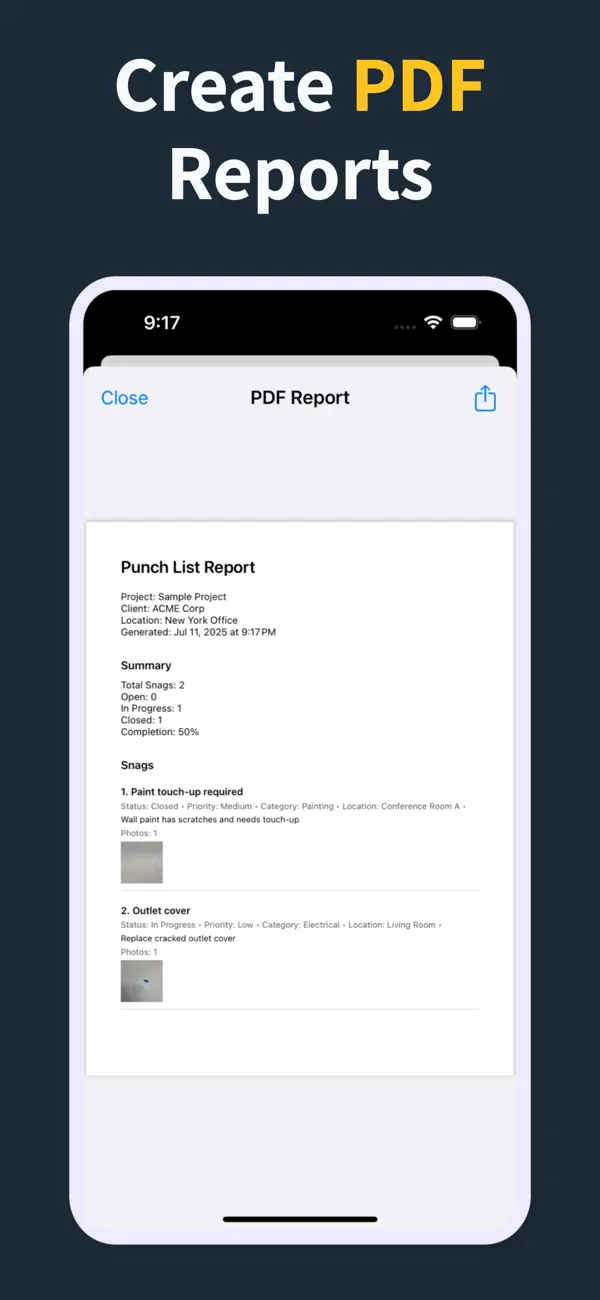
Punch List PDF report preview with photos and item details
Reports

Turn the list into a client-ready PDF on site

Generate a PDF with item numbers, status, priority, due dates, assignments, and inline photos right there in the field — so the report is done before you leave, not back at a laptop that night.

  • Build the report in the field, no laptop required
  • Pro unlocks clean PDFs and company branding
  • Share from the iOS share sheet before you drive off
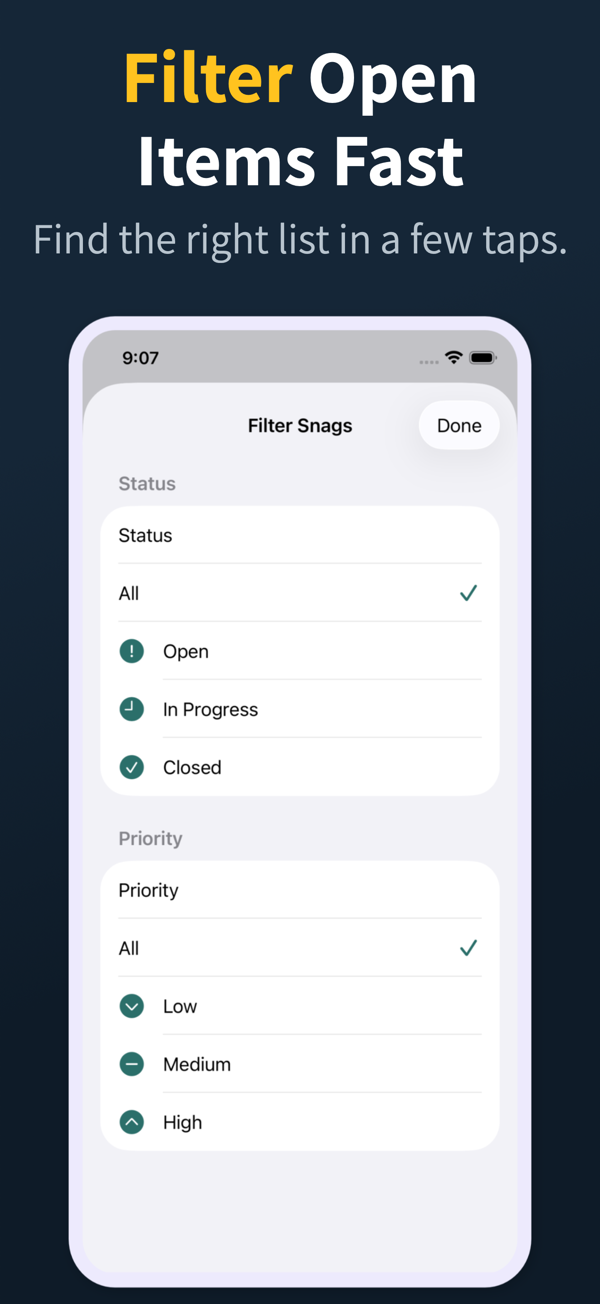
Punch List filter screen for open items and priority
Review

Find the right items fast

Search and filter snags by the fields teams actually use during closeout reviews.

  • Search title, description, location, category, and assignee
  • Filter by status, priority, category, and assignee
  • Grouped open, in-progress, and closed sections
Punch List project dashboard
Projects

Keep every site separated

Manage multiple projects with progress counts, project search, import, export, and iCloud sync for Pro workflows.

  • Project-level progress and open-item counts
  • Search across project name, client, and location
  • Pro unlocks project import/export and iCloud sync
04

Frequently asked questions

What's the difference between a site inspection and a snag list?

A site inspection documents conditions and observations at any point during a project, while a snag list records defects and unfinished work near completion. The same app handles both workflows with the same item structure.

Who uses site inspection apps?

Main contractors, QA and QC teams, clients, architects, consulting engineers, and building inspectors, in short anyone who walks a site and needs a defensible photo-backed record of what they saw.

Can a site inspection app work offline?

Yes. Punch List & Site Audit captures observations, photos, and notes offline, which is essential for basements, shells, and remote or newly handed-over sites with no reliable connection.

What should a site inspection report include?

A location, the date, the inspector, a description of the observation, a severity or risk level, and photo evidence for each item, plus a project summary page. All of that is produced automatically in the PDF export.

How often should site inspections be carried out?

Routine inspections are often weekly or at defined milestones, while handover inspections happen near practical completion. The right frequency depends on project size, risk profile, and the contract with the client.

05

Related Guides

Run snagging lists and handover inspections from your iPhone

Download Punch List & Site Audit on iOS. Capture snags with photos, mark up what needs fixing, and produce a clean PDF report right there in the field — no laptop, no typing the list back up at the office that night.

Download on the App Store
Scan to download