Capture snags and make the PDF on site

Home Inspection Checklist

Built for Home Inspection Checklist on active job sites. Standard handover checklist items can turn into action items with photos, notes, and a report-ready status.

Quick answer

What is a home inspection checklist?

A home inspection checklist is a structured list of items a surveyor or buyer walks through, covering the roof, structure, electrics, plumbing, heating, interior, and exterior, recording the condition and any defects with photos. Punch List & Site Audit turns that walk into a PDF report the buyer can use in negotiations or the builder can use for repairs before completion.

Learn more: reusable construction checklists.

01

What teams need from Home Inspection Checklist

Site managers and building inspectors need repeatable snagging checklists that still allow photos and detailed notes.

Standard handover checklist items can turn into action items with photos, notes, and a report-ready status.

02

How Punch List & Site Audit fits the workflow

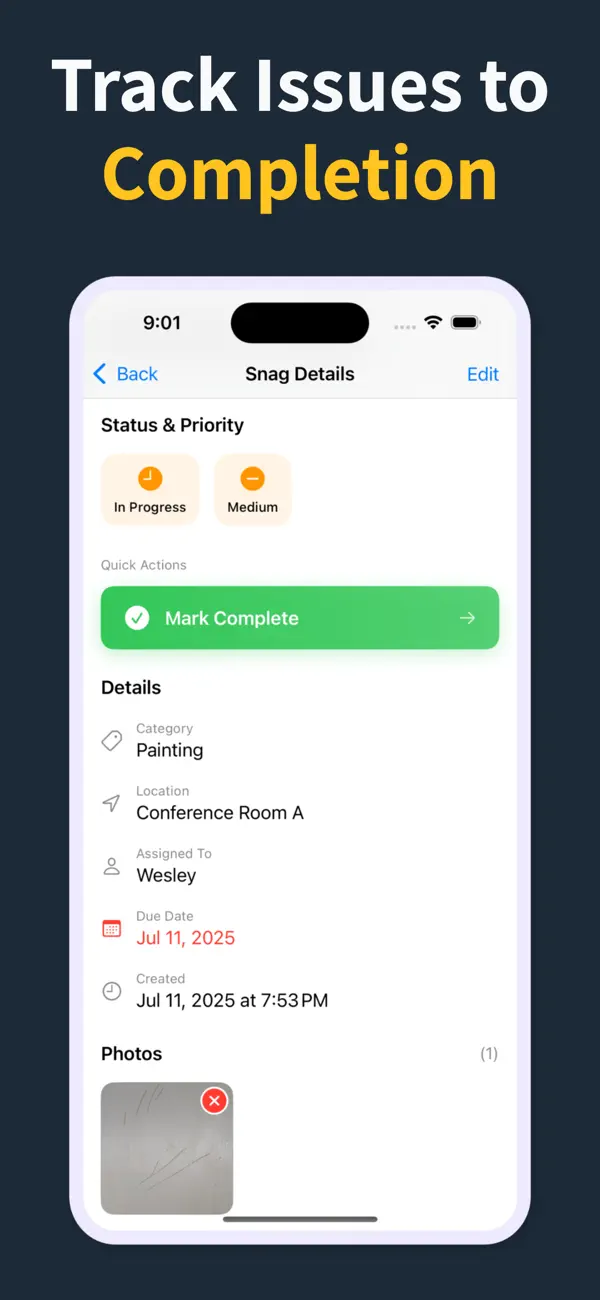
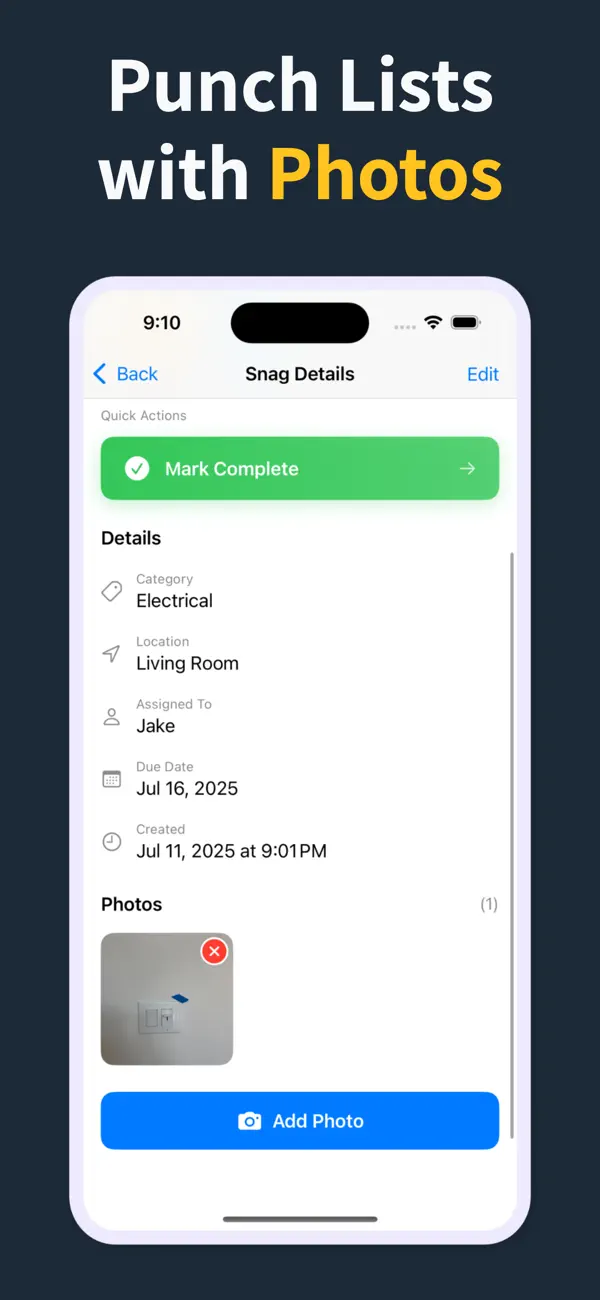
Each snag can carry location, trade, status, due date, notes, and photo evidence in one record.

That keeps snagging surveys consistent and makes PDF reporting fast at handover.

03

Why crews keep it on site

Instead of paper notes or static spreadsheets, the whole snagging list stays live in the field and easy to share.

Contractors, surveyors, and homeowners review the same structured record from first walkthrough to final sign-off.

How it works

From walkthrough to report in three steps

Punch List & Site Audit keeps capture, assignment, review, and handoff in one iPhone workflow.

1

Create the project

Start a site, client, or renovation project and keep each job separated with progress counts and search.

2

Capture every snag on site

Add title, notes, location, photos, status, priority, category, assignee, and due date as you walk — a few taps per item, then Save & Add Another to keep the walkthrough moving.

3

Generate the PDF before you leave

Turn the list into a client-ready PDF with photos and item details right on site — no laptop, no retyping it later. Pro unlocks clean branded reports, export, and iCloud sync.

Feature proof

Specific proof from the app

Each feature below maps to the actual Punch List & Site Audit workflow: capture, annotate, organize, filter, report, and hand off.

Punch List app issue capture screen
Capture

Add snags without slowing the walk

Record the issue, description, location, and photos in one form, then use Save & Add Another to keep moving.

  • Title, description, and location fields
  • Camera and photo-library capture
  • Rapid repeat entry for walkthroughs
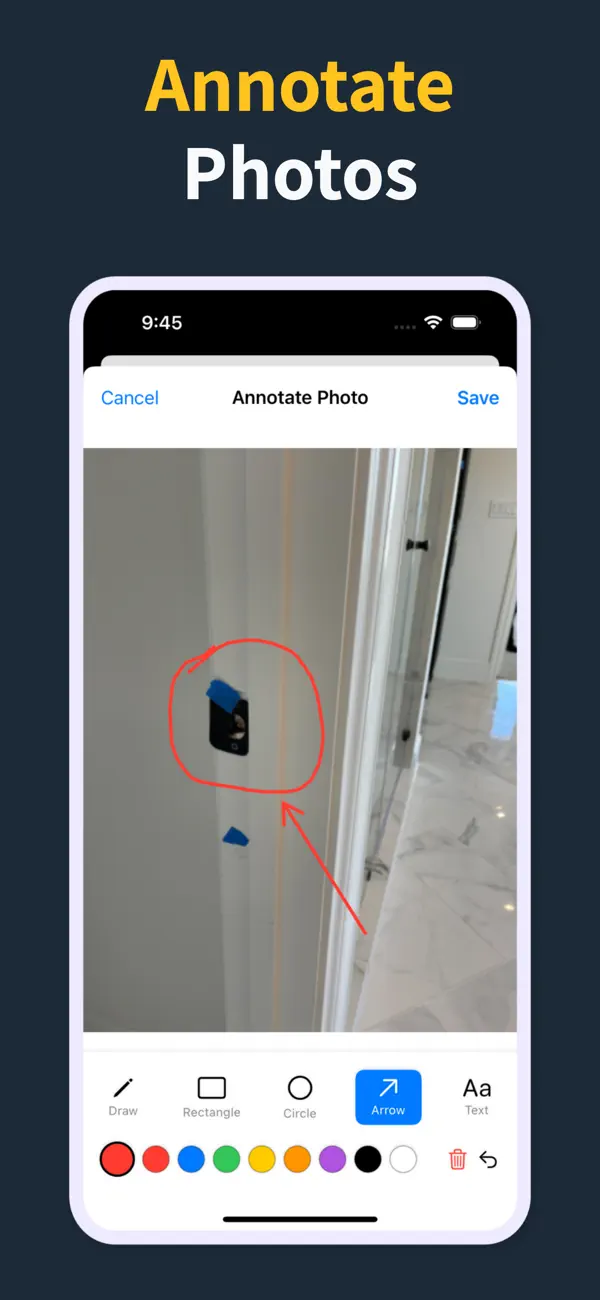
Punch List photo annotation tools
Photos

Mark exactly what needs work

Annotate photos before they go into the report, so subcontractors can see the exact defect and location.

  • Draw, rectangle, circle, arrow, and text tools
  • Undo/redo, selectable annotations, and color controls
  • Annotated images save back to the item
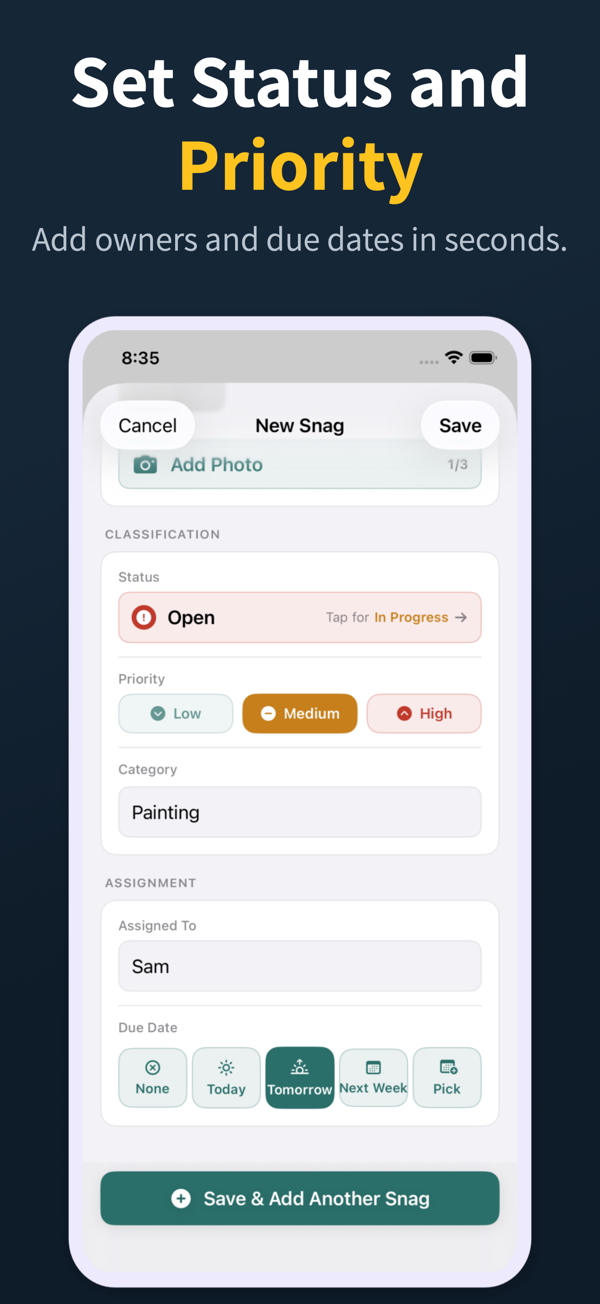
Punch List status, priority, assignment, and due date controls
Accountability

Assign, prioritize, and date the work

Each snag can carry status, priority, category, assignee, and due date so the list is actionable before handoff.

  • Open, in progress, and closed statuses
  • Low, medium, and high priority chips
  • Assignee suggestions and quick due-date choices
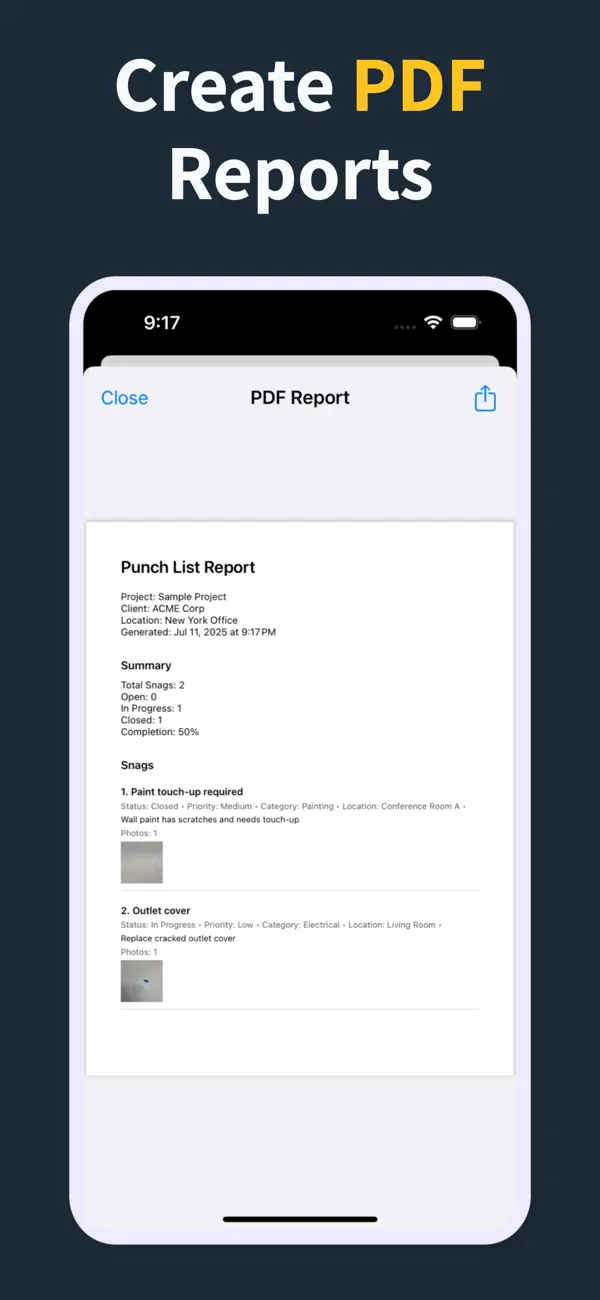
Punch List PDF report preview with photos and item details
Reports

Turn the list into a client-ready PDF on site

Generate a PDF with item numbers, status, priority, due dates, assignments, and inline photos right there in the field — so the report is done before you leave, not back at a laptop that night.

  • Build the report in the field, no laptop required
  • Pro unlocks clean PDFs and company branding
  • Share from the iOS share sheet before you drive off
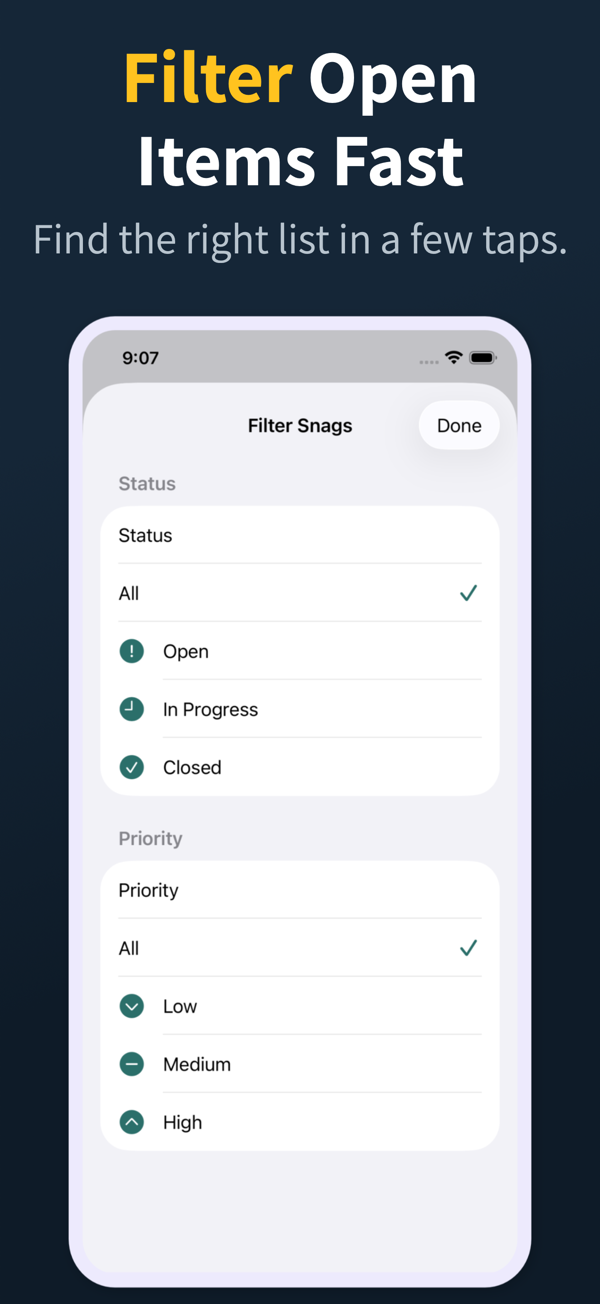
Punch List filter screen for open items and priority
Review

Find the right items fast

Search and filter snags by the fields teams actually use during closeout reviews.

  • Search title, description, location, category, and assignee
  • Filter by status, priority, category, and assignee
  • Grouped open, in-progress, and closed sections
Punch List project dashboard
Projects

Keep every site separated

Manage multiple projects with progress counts, project search, import, export, and iCloud sync for Pro workflows.

  • Project-level progress and open-item counts
  • Search across project name, client, and location
  • Pro unlocks project import/export and iCloud sync
04

Frequently asked questions

What should a home inspection checklist cover?

Structure and foundations, roof and loft, exterior walls and drainage, the consumer unit and sockets, plumbing fittings and the boiler or water heater, heating and ventilation, windows and doors, insulation, and every interior room including kitchens and bathrooms. Each area needs condition notes and photos for any issues.

Who uses home inspection checklists?

Surveyors, buyers carrying out their own pre-offer walkthroughs, estate agents, and property managers running move-in or move-out inspections. The same checklist structure suits all of them.

What's the best app for a home inspection checklist?

Punch List & Site Audit captures each item with a photo, location, and notes, and exports a PDF report. It works offline on iOS, which matters in lofts, cellars, and properties with no active service.

Should a home inspection checklist include photos?

Yes. Photos are the most important part of the report, because they show exactly what was flagged and give buyers leverage in negotiations. Every defect should have at least one photo attached.

How long does a home inspection take with a good checklist?

Most house inspections take two to four hours on site. A photo-enabled app shortens the writing-up afterwards from hours to minutes, because the PDF is generated automatically from the captured items.

05

Related Guides

Run snagging lists and handover inspections from your iPhone

Download Punch List & Site Audit on iPhone, iPad or Android. Capture snags with photos, mark up what needs fixing, and produce a clean PDF report right there in the field — no laptop, no typing the list back up at the office that night.

Scan to download