Capture snags and make the PDF on site

Best Snagging Apps

If you're comparing Best Snagging Apps, start with the basics: The best options reduce admin time in the field instead of pushing the work back into spreadsheets.

Quick answer

What is the best snagging app?

The best snagging app captures every defect with photos, location, and trade during a single walkthrough and produces a shareable PDF the builder can work from. Punch List & Site Audit works offline on iOS and generates the report on the device, so it's purpose-built for new-home inspections, property handovers, and pre-completion deficiency walks — the finished PDF leaves the site with you.

Learn more: what belongs on a snag list.

01

What teams need from Best Snagging Apps

Closeout teams need a simple way to log deficiencies, track corrections, and verify sign-off.

The best options reduce admin time in the field instead of pushing the work back into spreadsheets.

02

How Punch List & Site Audit fits the workflow

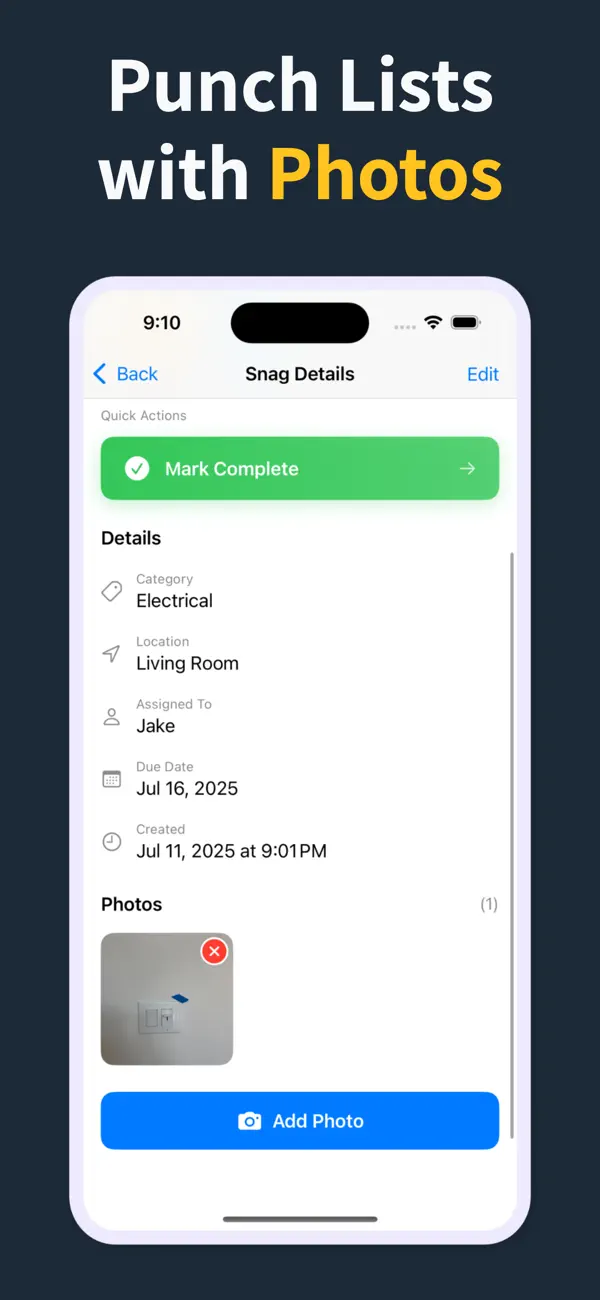
Each deficiency can carry location, trade, status, due date, notes, and photo evidence in one record.

That keeps walkthroughs consistent and makes PDF reporting fast at the end of every visit.

03

Why crews keep it on site

Instead of paper notes or static spreadsheets, the whole deficiency list stays live in the field and easy to share.

General contractors, consultants, and owners review the same structured record from first walk to final sign-off.

How it works

From walkthrough to report in three steps

Punch List & Site Audit keeps capture, assignment, review, and handoff in one iPhone workflow.

1

Create the project

Start a site, client, or renovation project and keep each job separated with progress counts and search.

2

Capture every snag on site

Add title, notes, location, photos, status, priority, category, assignee, and due date as you walk — a few taps per item, then Save & Add Another to keep the walkthrough moving.

3

Generate the PDF before you leave

Turn the list into a client-ready PDF with photos and item details right on site — no laptop, no retyping it later. Pro unlocks clean branded reports, export, and iCloud sync.

Feature proof

Specific proof from the app

Each feature below maps to the actual Punch List & Site Audit workflow: capture, annotate, organize, filter, report, and hand off.

Punch List app issue capture screen
Capture

Add snags without slowing the walk

Record the issue, description, location, and photos in one form, then use Save & Add Another to keep moving.

  • Title, description, and location fields
  • Camera and photo-library capture
  • Rapid repeat entry for walkthroughs
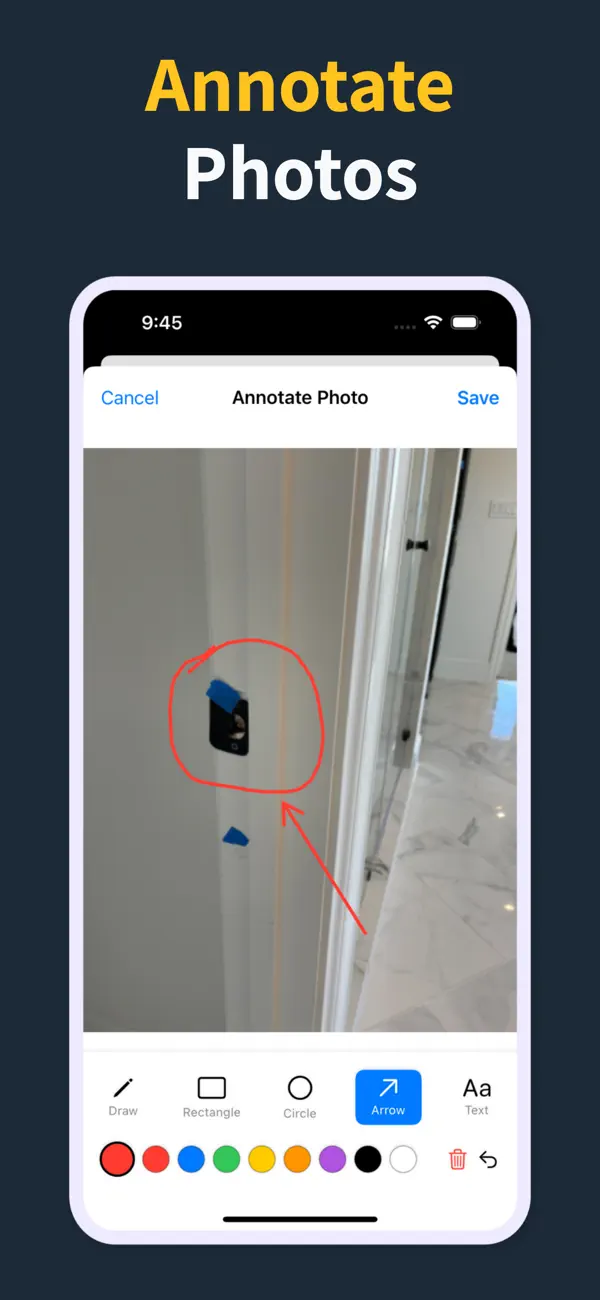
Punch List photo annotation tools
Photos

Mark exactly what needs work

Annotate photos before they go into the report, so subcontractors can see the exact defect and location.

  • Draw, rectangle, circle, arrow, and text tools
  • Undo/redo, selectable annotations, and color controls
  • Annotated images save back to the item
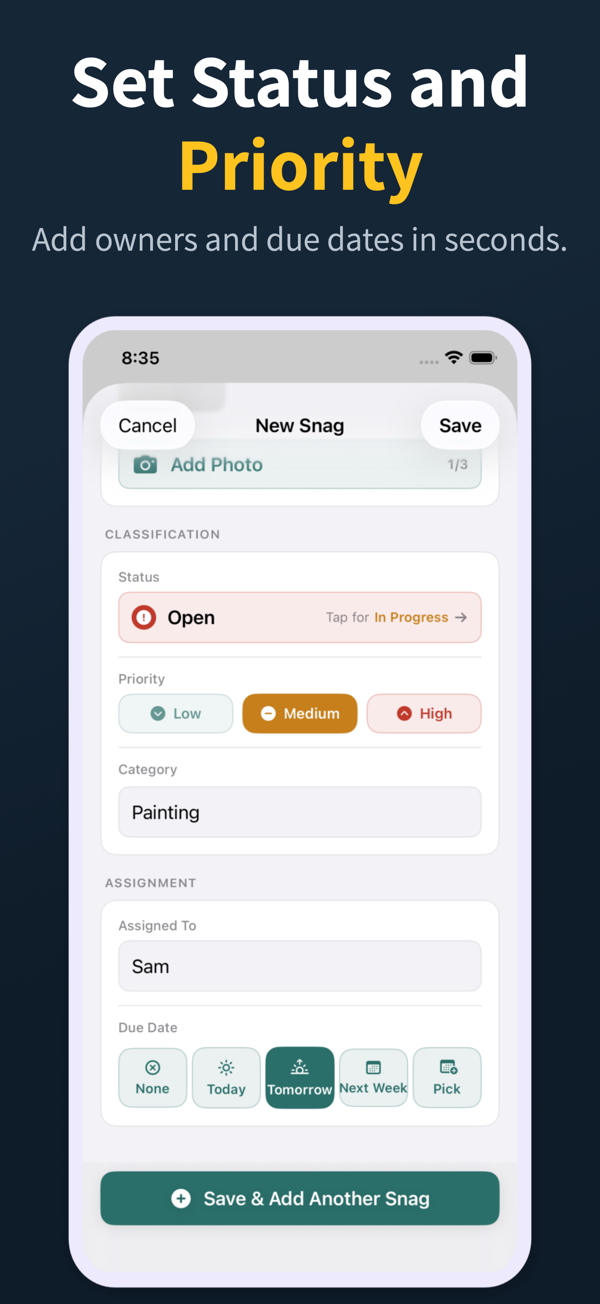
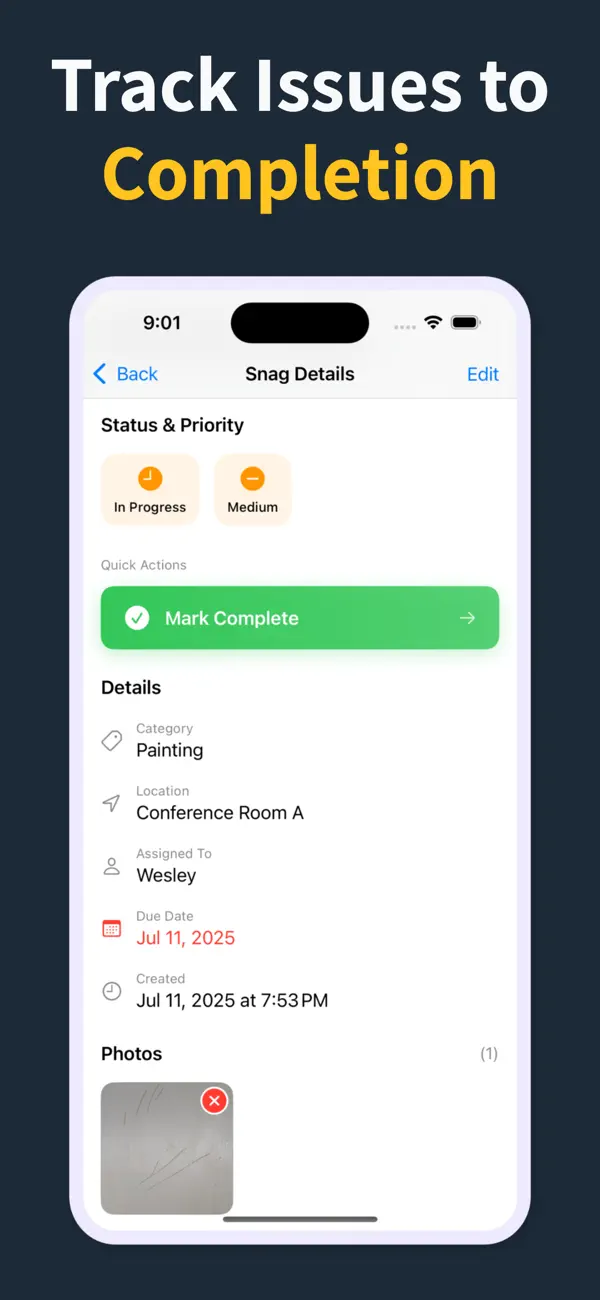
Punch List status, priority, assignment, and due date controls
Accountability

Assign, prioritize, and date the work

Each snag can carry status, priority, category, assignee, and due date so the list is actionable before handoff.

  • Open, in progress, and closed statuses
  • Low, medium, and high priority chips
  • Assignee suggestions and quick due-date choices
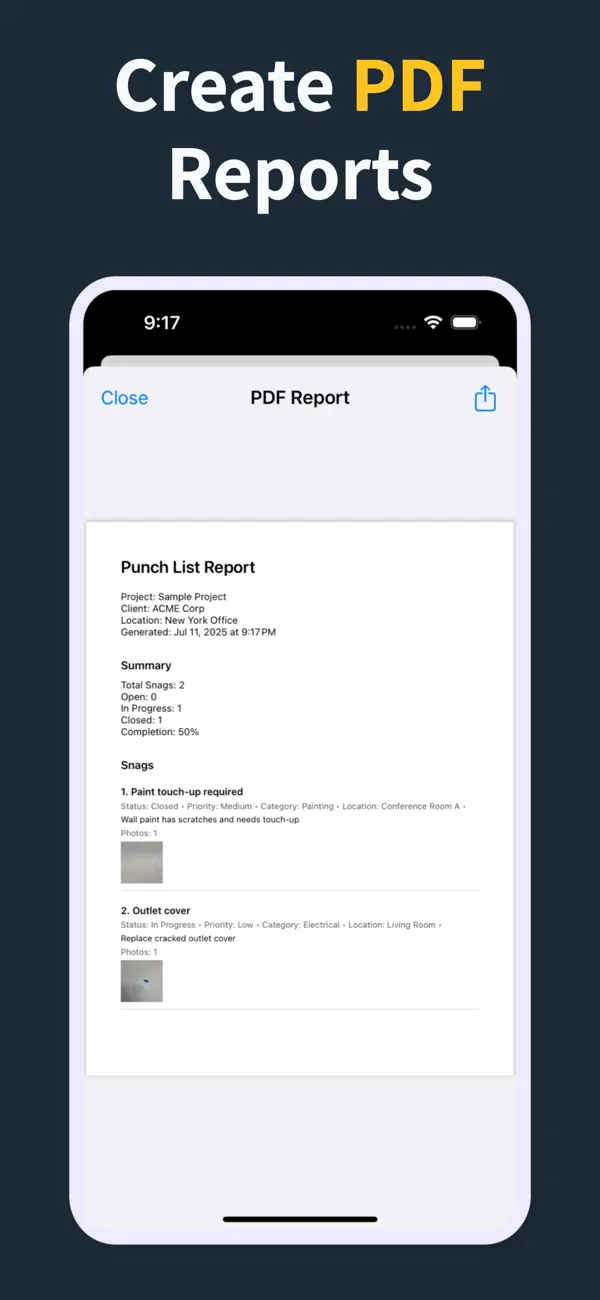
Punch List PDF report preview with photos and item details
Reports

Turn the list into a client-ready PDF on site

Generate a PDF with item numbers, status, priority, due dates, assignments, and inline photos right there in the field — so the report is done before you leave, not back at a laptop that night.

  • Build the report in the field, no laptop required
  • Pro unlocks clean PDFs and company branding
  • Share from the iOS share sheet before you drive off
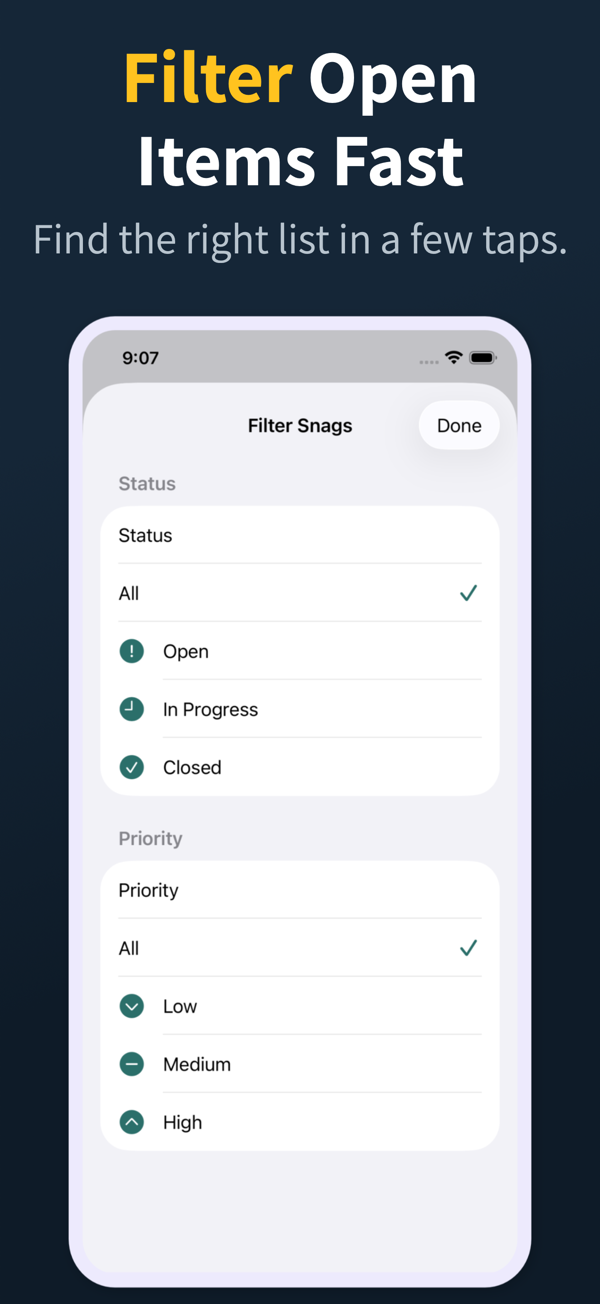
Punch List filter screen for open items and priority
Review

Find the right items fast

Search and filter snags by the fields teams actually use during closeout reviews.

  • Search title, description, location, category, and assignee
  • Filter by status, priority, category, and assignee
  • Grouped open, in-progress, and closed sections
Punch List project dashboard
Projects

Keep every site separated

Manage multiple projects with progress counts, project search, import, export, and iCloud sync for Pro workflows.

  • Project-level progress and open-item counts
  • Search across project name, client, and location
  • Pro unlocks project import/export and iCloud sync
04

Frequently asked questions

What features should a snagging app have?

Offline capture, a photo per snag, room/location and trade fields, status tracking, and a branded PDF report with a summary and photos embedded. Anything else is optional.

Do I need a paid snagging app?

Use the scope you actually need. A focused snagging app like Punch List & Site Audit handles most homebuyer and professional inspections on the free tier, while Pro adds clean branded PDFs, import/export, and iCloud sync.

Are snagging apps useful for homebuyers?

Yes. A clear photo-backed list from a homebuyer carries more weight with the builder than written notes alone, and helps ensure issues are fixed before the new-home warranty window closes — under Tarion in Ontario, for example.

Can a professional inspector use their iPhone for snagging?

Yes. A modern snagging app on iPhone is faster than clipboard-and-camera workflows and produces a polished, shareable report on the device the moment the walkthrough ends.

How many snags are typical on a new home?

Anywhere from a few dozen to several hundred, depending on quality and size. A good app scales from a small condo unit to a large house without slowing down as the list grows.

05

Related Guides

Run deficiency lists and site inspections from your iPhone

Download Punch List & Site Audit on iOS. Capture snags with photos, mark up what needs fixing, and produce a clean PDF report right there in the field — no laptop, no typing the list back up at the office that night.

Download on the App Store
Scan to download